Why Does My EC Download Show Blank Entries Update (2026)?
Many users who download their Encumbrance Certificate (EC) from the TNREGINET portal find that some entries appear blank or incomplete. This can be confusing and concerning, especially if you need the EC for legal, financial, or loan purposes.
In this article, we’ll explore the main reasons blank entries appear in your EC and how you can fix them easily.
What Are Blank Entries in an EC?
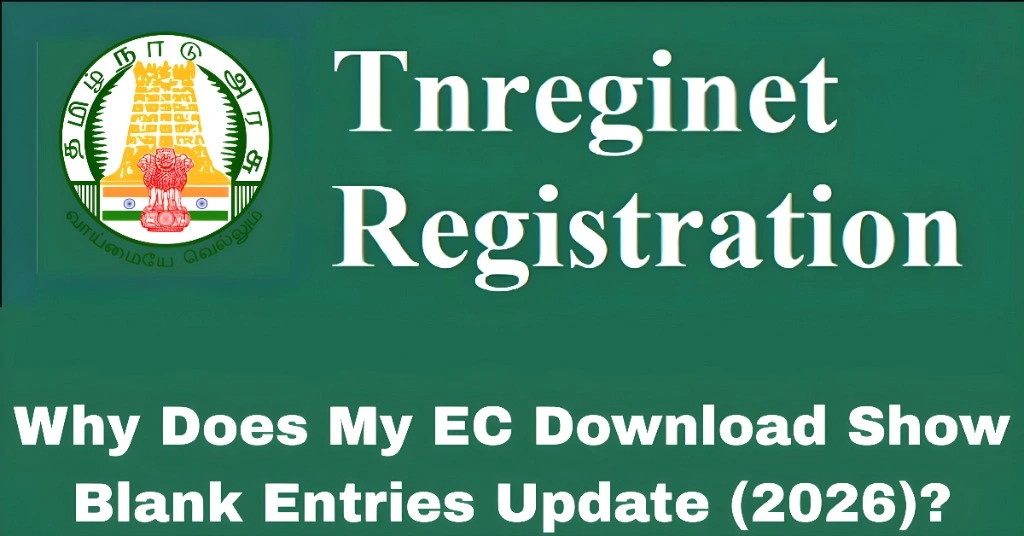
A blank entry is when part of the transaction record — such as the party name, document number, consideration amount, or date — shows up empty or missing in the downloaded EC.
This doesn’t always mean the transaction didn’t happen. Often, it’s due to how the data was entered into the system.
Let’s look at the reasons.
Incomplete or Incorrect Data Entry at Registration
When a property transaction is registered, the details are entered into the system by the Sub‑Registrar’s staff.
If the data was entered incorrectly or left incomplete, the same missing information will appear in the EC.
Key Points:
Fix:
Visit the local Sub‑Registrar Office (SRO) with your original documents and ask them to check whether the details were entered correctly.
You can also read: How Accurate Are TNREGINET EC Records for Property Transactions?
Data Not Uploaded or Synced Properly
Sometimes the registration record exists, but the database hasn’t updated latest details properly.
This happens when the central record doesn’t sync with the latest data entered at the field level.
Key Points:
Fix:
Try searching after a few days. If blank entries still show up, raise a data correction request with the SRO.
Transactions Registered Offline Still Pending Upload
Some older property transactions may have been recorded offline first, and not uploaded to the online system yet.
Key Points:
Fix:
Visit your SRO and request manual verification of the older transaction details.
Multiple Entries With Different Formats
If a property transaction was registered with mixed formats — for example, without survey number, or with only a door number — the system may not align all details correctly.
Blank entries often appear because the portal could not link all details under the format you searched.
Key Points:
EC searches depend on consistent formats.
Mixed formats may cause blanks in certain columns.
Fix:
Try the other method of search (survey number if you used document number or vice versa). This often fills missing data.
Technical Issues With the TNREGINET Portal
Sometimes blank entries show up not because of missing data but because the portal itself did not load all fields properly.
This may happen due to:
Fix:
These simple steps often make the EC download display complete details.
Transactions With Special Conditions
Certain types of transactions — like gift deeds, partition deeds, lease registrations, or mortgage registrations — may appear with blank entries because they have multiple linked parties or require extra data fields.
Key Points:
Fix:
Ask the SRO to explain or reissue the EC with complete details for special transaction types.
Data Validation or Format Mismatch
The TNREGINET system sometimes expects a standard format. If the data was entered in a different format or has a special character, the system may not display it in the EC.
Key Points:
Format mismatches cause display issues.
This often affects names, document numbers, or numeric fields.
Fix:
Ask the Sub‑Registrar to re‑enter the data in the correct format so the EC displays properly.
FAQs
Final Words
Blank entries in your EC download can be frustrating, but they are usually fixable. They often happen because of data entry mistakes, database syncing issues, or technical glitches in the portal.
Before worrying:
Match the details with your original documents
Try different search methods
Clear your browser cache and retry
Visit your local Sub‑Registrar Office if needed
With these steps, you should be able to understand and correct the problem so your EC shows complete and correct information.