Encumbrance Certificate TNREGINET– Apply & Download EC 2026
An Encumbrance Certificate is one of the most important property documents in Tamil Nadu. It helps you check whether a property has any registered legal or financial burden, such as a mortgage, sale deed, gift deed, lease, or loan entry. If you are buying land, selling a house, applying for a home loan, or checking old property records, using Encumbrance Certificate TNREGINET can protect you from costly mistakes.
The Tamil Nadu Registration Department provides EC-related services through the official TNREGINET portal. The portal includes options such as User Registration, Encumbrance Certificate, View EC, Search/View EC, Document Status, Know Your Jurisdiction, and online payment support. The official TNREGINET homepage also lists “View/Download Encumbrance Certificate @ Free of Cost” as one of its services.
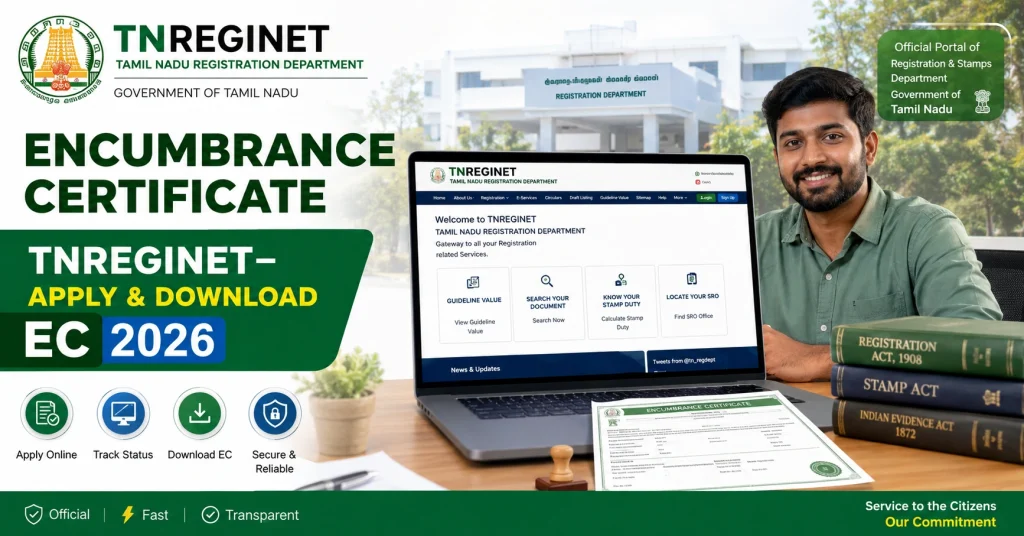
What Is an Encumbrance Certificate in Tamil Nadu?
An Encumbrance Certificate, also called EC or Villangam Certificate, is a government record that shows registered transactions linked to a property for a selected period. It helps confirm whether the property has any registered liability or transfer history.
In simple words, EC tells you what happened to the property in official registration records. It may show sale deeds, mortgages, release deeds, gift deeds, settlement deeds, leases, or other registered entries.
If no registered encumbrance is found for the selected period, the certificate may show a Nil Encumbrance result. But remember, EC only shows registered records. Private agreements, unregistered family disputes, possession issues, or informal loans may not appear in the certificate.
Why Encumbrance Certificate TNREGINET Is Important
An EC is useful because it gives a safer view of property history before you take a major decision. Buyers use it to check whether the seller has a clean registered title. Banks use it before approving loans. Sellers use it to prove that the property has no active registered burden.
You should check EC before:
A Patta or Chitta can show land ownership and classification, but EC shows registered transaction history. For safe property checking, use both land records and EC together.
TNREGINET Portal Services for EC
TNREGINET is the official Tamil Nadu Registration Department portal. It provides registration and property-related services, including User Registration, Encumbrance Certificate, View EC, Search/View EC, Document Status, Guideline Value, Duty and Fees, and Know Your Jurisdiction.
| TNREGINET Service | Purpose |
|---|---|
| User Registration | Create an account for portal services |
| View EC | View Encumbrance Certificate records |
| Search/View EC | Search EC using property or document details |
| Document Status | Check status of registered documents |
| Know Your Jurisdiction | Find the correct SRO area |
| Guideline Value | Check government guideline value |
| Duty and Fees | Check registration-related charges |
| E-Payment | Pay departmental charges online |
How to Register on TNREGINET for Encumbrance Certificate
Before using some TNREGINET services, users may need to create an account. The official portal shows User Registration under the Registration section and also displays a login panel with username, password, captcha, and user registration options.
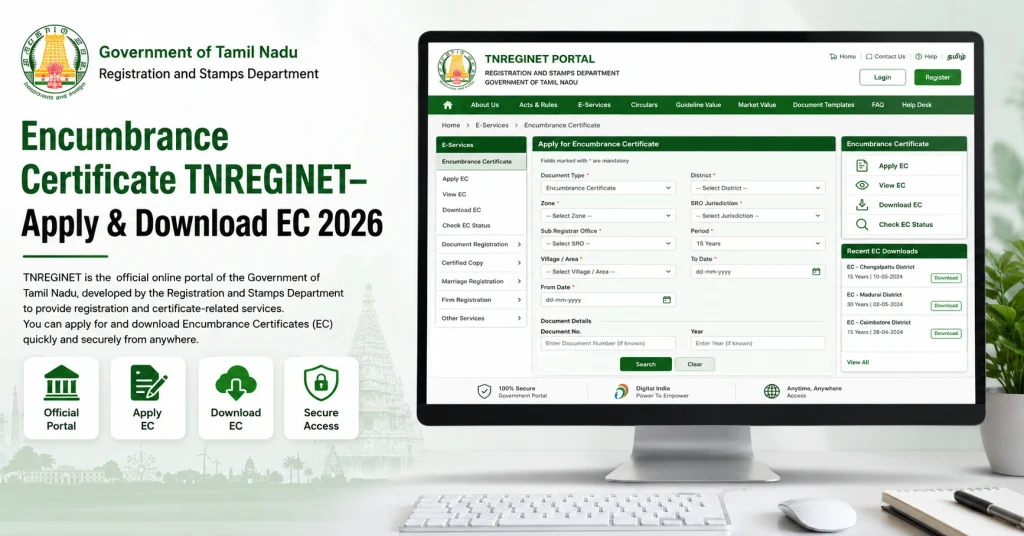
Follow these steps:
Use a working mobile number and email address. Your login, updates, and verification messages may depend on these details.
How to View Encumbrance Certificate Online
If you only want to check EC records, use the View EC or Search/View EC option on TNREGINET. The portal lists Encumbrance Certificate under eServices and Search/View EC under quick search and search services.
Basic steps:
Check every detail carefully. Wrong SRO, wrong village, or wrong survey number can show an incorrect or empty result.
Property-Wise Search vs Document-Wise Search
TNREGINET EC search can be done using property details or document details. Use the method that matches the information you already have.
| Search Type | Best For | Details Needed |
|---|---|---|
| Property-wise search | When you know land/property details | Zone, district, SRO, village, survey number, subdivision number |
| Document-wise search | When you know deed details | SRO, document number, year, document type |
| Period-based search | When checking long history | Start date and end date |
| Owner/property check | When matching records | Owner name, door number, plot details, survey details |
If you have the document number, document-wise search is usually easier. If you are buying land and only have survey details, property-wise search is better.
How to Apply for Online Application Process for Encumbrance Certificate TNREGINET
Applying for an Encumbrance Certificate through TNREGINET is a simple online process that helps you check the registered transaction history of a property in Tamil Nadu. You can use this service to search property records, apply for an EC, make payment online, and download the approved certificate in PDF format without visiting the Sub-Registrar Office for basic digital access.
Step 1: Login to TNREGINET Portal
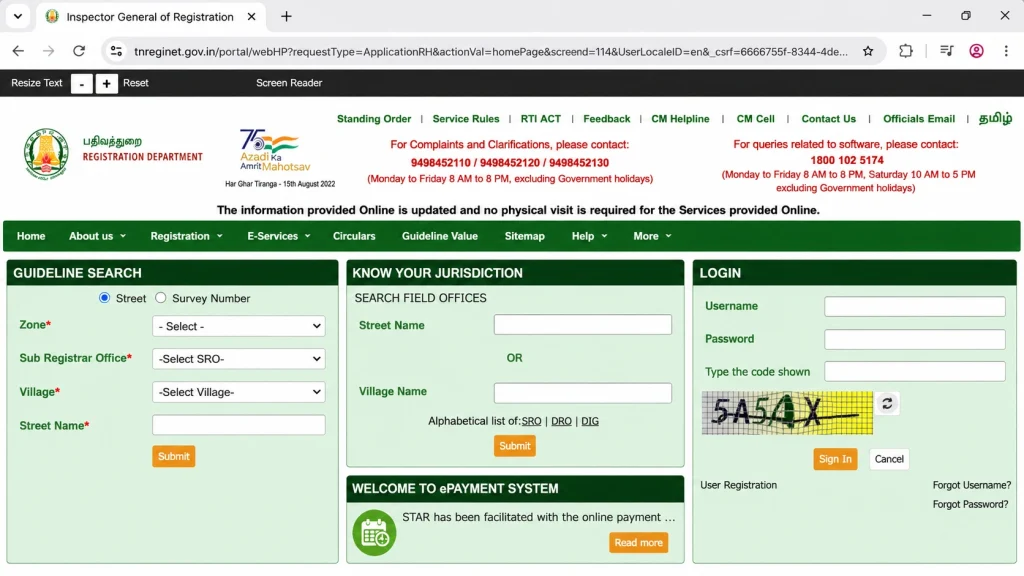
First, visit the official TNREGINET website and log in with your registered username and password. If you are a new user, complete the registration process before starting the EC application. After login, the dashboard will show different online services related to property registration, certificates, and document searches.
Step 2: Open the Encumbrance Certificate Section
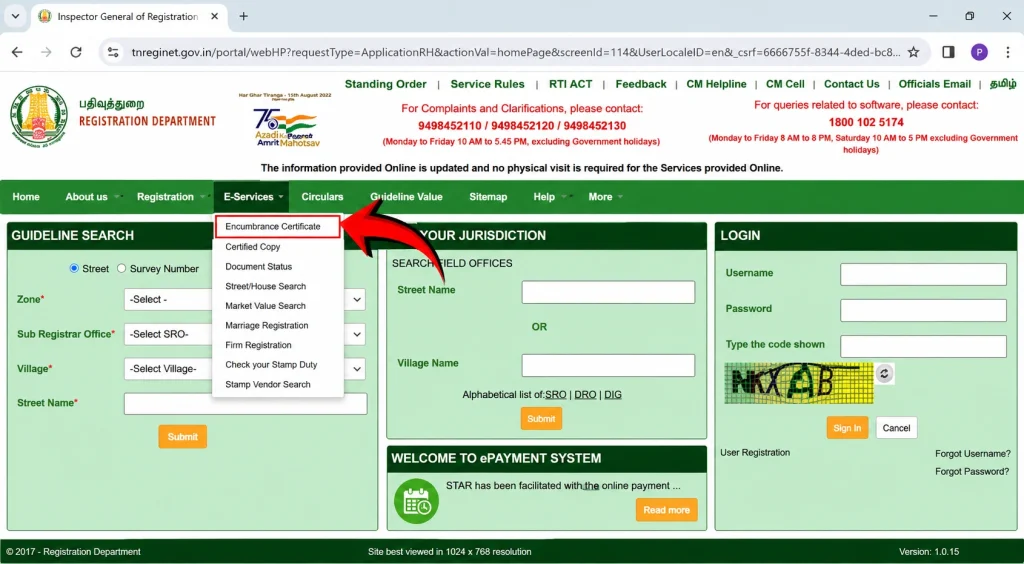
From the dashboard, go to the E-Services menu and choose the Encumbrance Certificate option. Then select the Search and Apply EC service. This section allows you to search property records before submitting your online EC request, which helps reduce mistakes in the application.
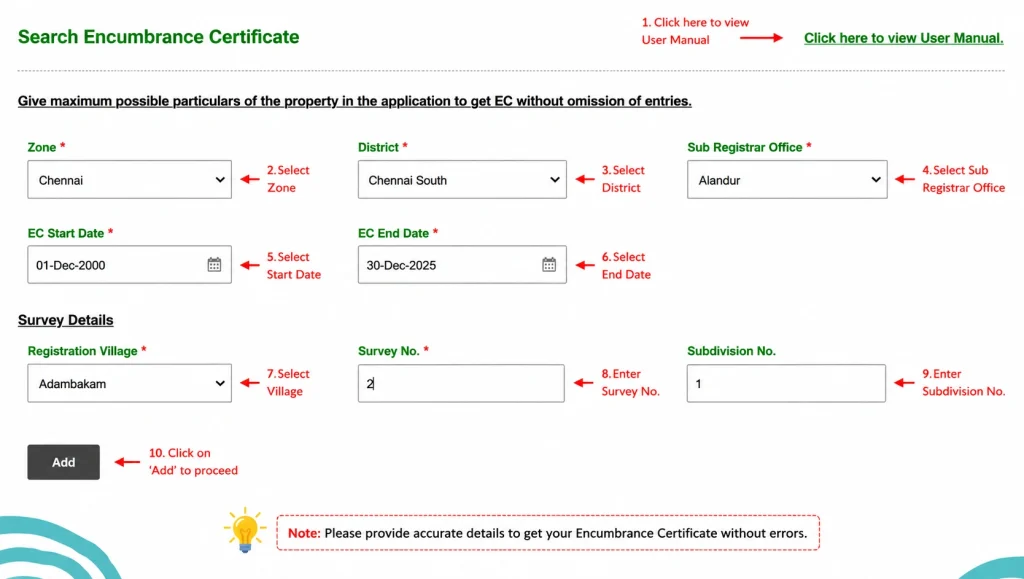
Step 3: Enter Property Location Details
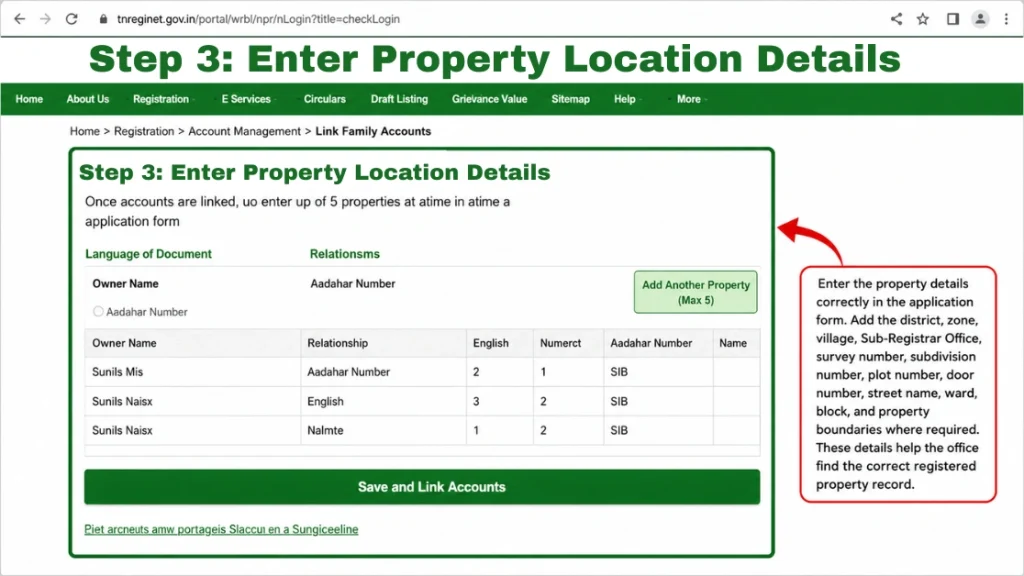
Now add the correct property location details, such as zone, district, Sub-Registrar Office, village, and registration area. These details help the TNREGINET system find the right property record from the database. Always match the information with your sale deed, property document, or previous registration papers.
Step 4: Fill Survey and Property Information
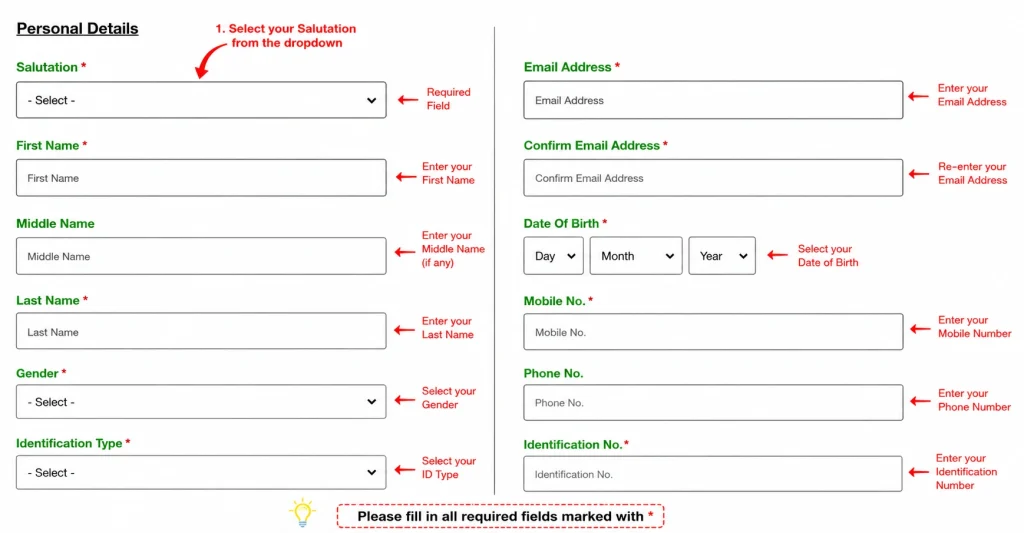
Enter the survey number, subdivision number, plot number, door number, ward, block, street name, and property boundaries where required. You may also add an old survey number, owner name, or known document number if available. Correct property details are important because even a small mismatch can delay the EC search.
Step 5: Select the EC Search Period
Choose the start date and end date for the period you want to check. The Encumbrance Certificate will show registered transactions, mortgages, sales, gifts, releases, or other recorded changes during that selected period. For property buying or loan purposes, users usually choose a longer search period for safer verification.
Step 6: Search and Review Property Records
After entering all details, click the search option to view available records. Check the displayed property transactions carefully and confirm whether the survey number, owner details, document numbers, and registration entries match your property. This review step helps you avoid applying with incorrect or incomplete information.
Step 7: Apply for Encumbrance Certificate Online
Once the search results look correct, continue with the Apply Online option. The system will move you to the application section, where you need to provide your personal details, contact number, email address, and other required applicant information. Review everything once before moving to payment.
Step 8: Pay the EC Application Fee
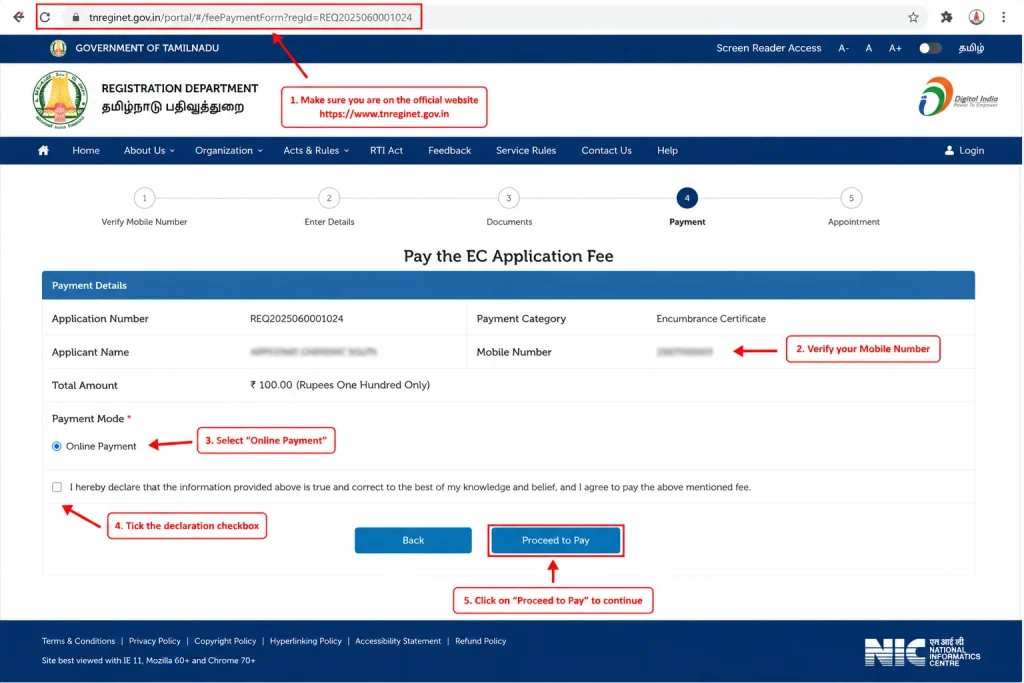
Choose your preferred online payment method, such as UPI, debit card, credit card, or net banking, depending on the available options. After payment, save the transaction ID, receipt details, and CIN if shown on the screen. These details can help you track the payment or application status later.
Step 9: Wait for Verification and Approval
After successful submission, your EC application is sent for verification. In many cases, the process is completed digitally, but some requests may take time if the details need checking by the Sub-Registrar Office. You may receive an SMS or portal update once the Encumbrance Certificate is approved.
Step 10: Download EC from Request List
After approval, log in again and go to E-Services, then Encumbrance Certificate, and open the Request List section. Find your approved application and click the download option to save the EC as a PDF file. You can use this digital certificate for property verification, home loan processing, legal checks, or personal records.
Pro Tip: Use Document Wise Search for Faster Results
If you already have the deed number or document number, use the Document Wise Search option. This method can make the TNREGINET EC search faster and more accurate because it directly matches the property record with a specific registered document.
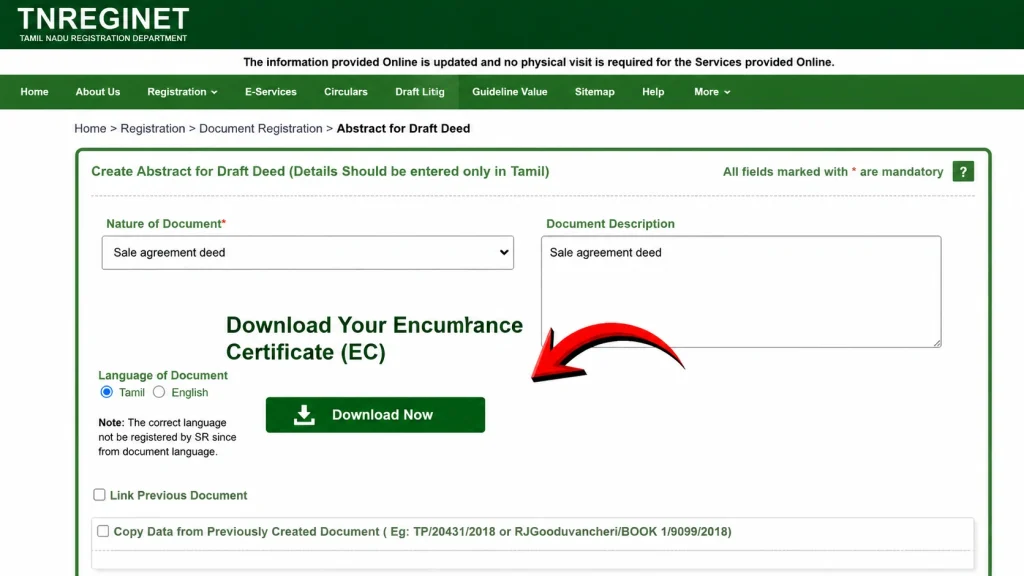
How to Download Encumbrance Certificate from TNREGINET
After your EC request is ready, you can download it from the portal. TNREGINET shows Encumbrance Certificate under online services and also lists View/Download EC as a portal feature.
Steps:
Before using the downloaded EC for a loan or sale, compare it with your sale deed, Patta, Chitta, and previous property documents.
TNREGINET Offline Application Process for Encumbrance Certificate
If online search does not work, or the record is old, you may need to visit the Sub-Registrar Office. Offline applications are also useful when older or non-digitized records need manual checking.
If you cannot apply online through TNREGINET, you can still request an Encumbrance Certificate by visiting the concerned Sub-Registrar Office in Tamil Nadu. The offline method is useful for people who are not comfortable with online forms, have older property records, or need help from the office staff before submitting the EC request.
Step 1: Visit the Correct Sub-Registrar Office
First, identify the Sub-Registrar Office connected with your property location. The EC request should be submitted at the office where the property record is registered. You can check the SRO details from your property document, sale deed, or TNREGINET jurisdiction search before visiting.
Step 2: Collect the EC Application Form
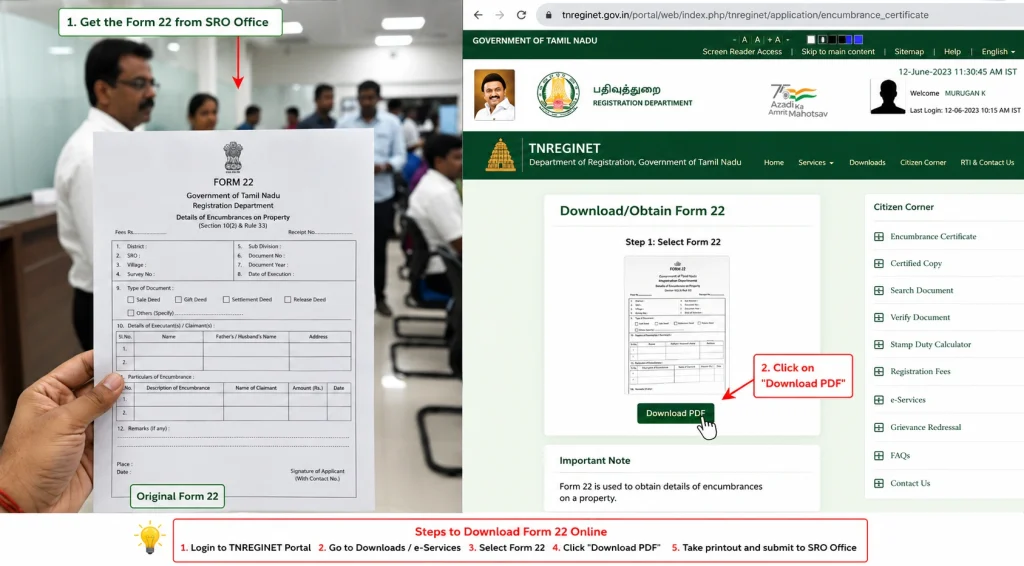
After reaching the Sub-Registrar Office, ask for the Encumbrance Certificate application form. In many cases, this is commonly known as Form 22. You may also check the TNREGINET portal for public forms before visiting, but it is always better to confirm the latest form format at the SRO counter.
Step 3: Fill in Property Details Carefully
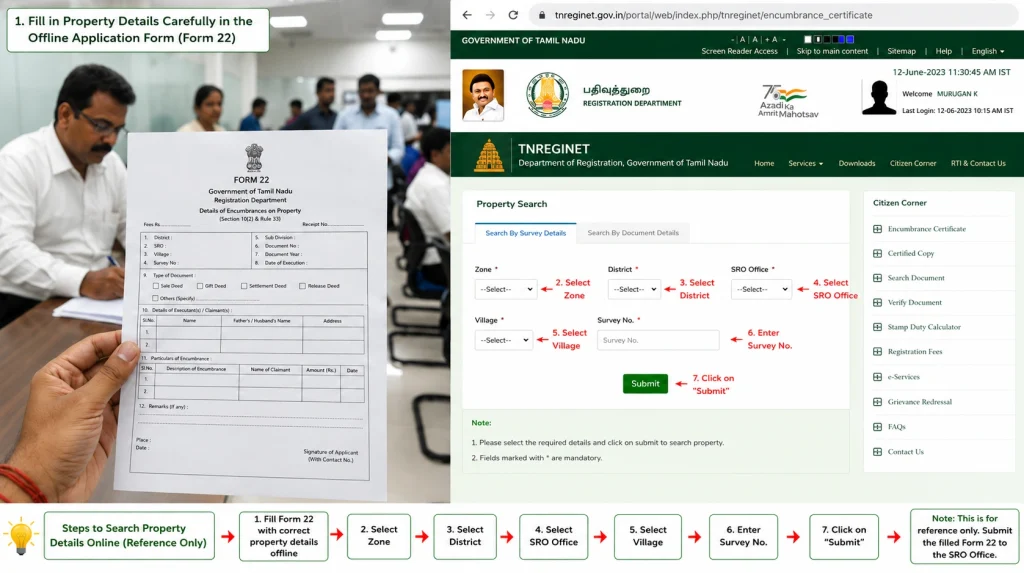
Enter the property details correctly in the application form. Add the district, zone, village, Sub-Registrar Office, survey number, subdivision number, plot number, door number, street name, ward, block, and property boundaries where required. These details help the office find the correct registered property record.
Step 4: Mention the Required EC Period
Write the start date and end date for the period you want to search. The EC will show registered transactions for that selected time range. If you are buying a property or applying for a loan, choose the period carefully because banks and legal advisors may ask for a longer EC record.
Step 5: Add Owner and Applicant Details
Fill in the name of the present property owner and your own applicant details. Include your full name, mobile number, address, and purpose of applying if asked. Make sure the spelling of the owner name matches the property document to avoid confusion during record verification.
Step 6: Attach Required Documents
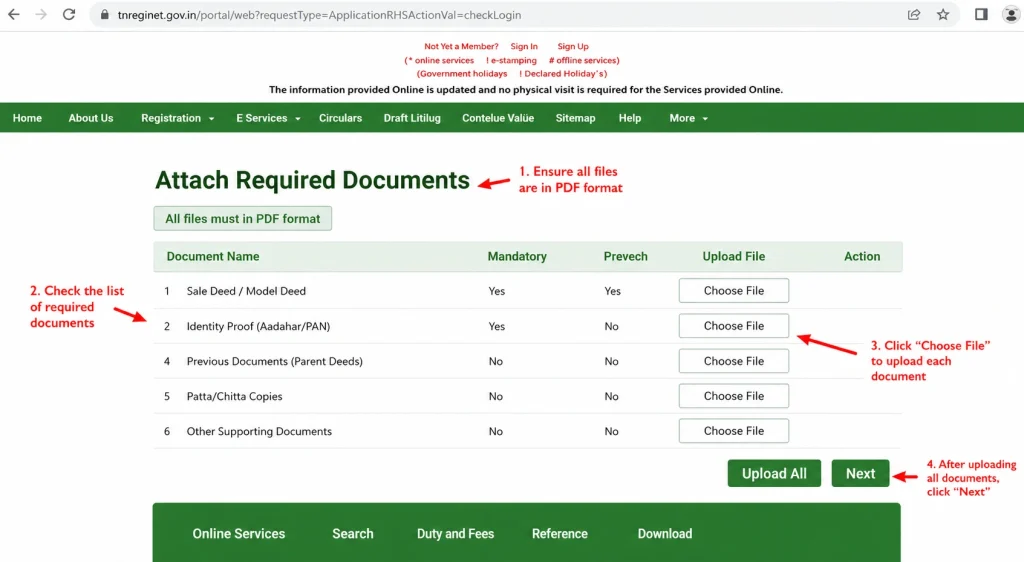
Attach clear copies of the title deed or sale deed, identity proof, and any supporting land documents. For agricultural or rural land, documents like Patta or Chitta may be helpful. If another person is applying on behalf of the owner, a valid authorisation letter or Power of Attorney may be required.
Step 7: Self-Attest the Document Copies
Before submission, sign the copies of your documents if self-attestation is required. Keep original documents with you for verification, but submit only photocopies unless the officer asks otherwise. This small step can save time and prevent your application from being returned.
Step 8: Submit the Form at the SRO Counter
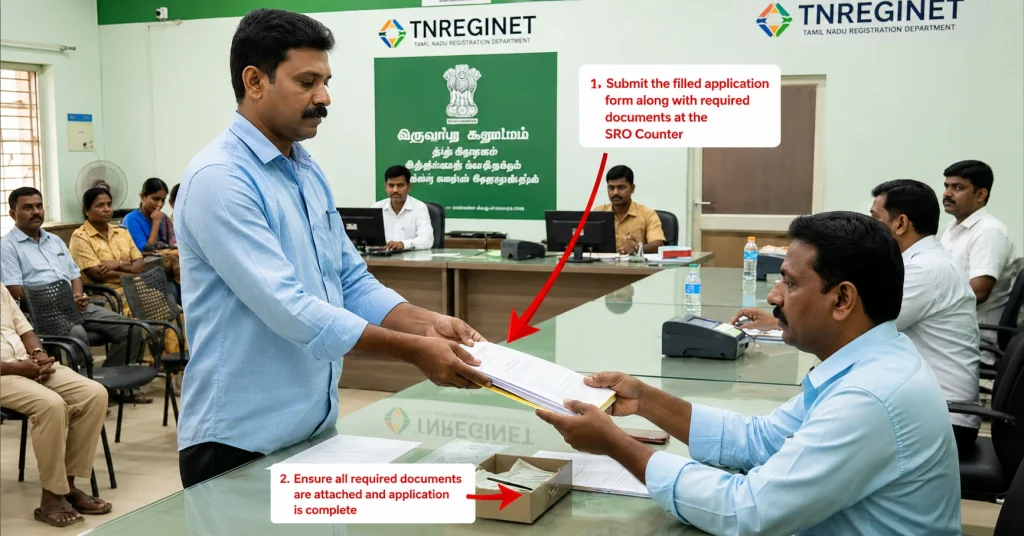
Submit the completed form and document copies at the Sub-Registrar Office counter. The staff will check your details and guide you about the applicable fee. Pay the fee using the payment method accepted by that office and collect the payment proof or receipt.
Step 9: Collect the Acknowledgment Slip
After submission, the office will issue an acknowledgment slip or receipt. Keep it safe because it may include your application number, date of submission, and tracking details. You may need this slip when checking the status or collecting the final Encumbrance Certificate.
Step 10: Wait for Record Verification
The SRO staff will verify the property details and search the registered transaction records for the selected period. If the property has older or non-computerised records, verification may take more time. The office may also ask for extra details if the survey number or document information is unclear.
Step 11: Collect the Approved Encumbrance Certificate
Once the verification is complete, the Sub-Registrar Office will issue the Encumbrance Certificate. You may need to collect it in person from the office. In some cases, the certificate or request status may also be available through TNREGINET, depending on the office process.
Step 12: Check the EC Before Using It
After receiving the certificate, check the owner name, property details, survey number, search period, and transaction entries. If you find any spelling error or mismatch, contact the SRO immediately. A correct EC is important for property purchase, legal verification, loan processing, and ownership checks.
Pro Tip: Carry Extra Copies and Visit Early
Offline EC applications can take longer than online requests, especially when old records are involved. Carry extra photocopies of your documents, keep your acknowledgment slip safe, and visit the SRO during working hours with enough time for form checking and submission.
Fees for Encumbrance Certificate TNREGINET
EC fees can vary based on search period, computerized record period, and service type. Several public finance/property sources list common Tamil Nadu EC charges as ₹1 application fee, ₹15 first-year search fee, ₹5 for each additional year, and ₹100 computerized fee from 1987 onwards.
| Fee Type | Common Charge |
|---|---|
| Application fee | ₹1 |
| First-year search fee | ₹15 |
| Additional year search fee | ₹5 per year |
| Computerized record fee from 1987 onwards | ₹100 |
| Offline/extra services | May vary |
Always verify the latest amount on the official portal or at the Sub-Registrar Office before payment. TNREGINET states that online payment of departmental charges is available, and payment up to ₹1,000 can be made at Sub-Registrar Offices through PoS machines.
Documents and Details You May Need
For online EC search, you mostly need accurate property details. For offline EC or complex verification, you may need supporting documents.
| Requirement | Why It Helps |
|---|---|
| Survey number | Identifies rural or land parcel records |
| Subdivision number | Narrows the exact land portion |
| District and SRO | Helps search the correct registration office |
| Village or street details | Avoids wrong property matching |
| Document number | Useful for document-wise search |
| Registration year | Helps find specific deed records |
| Sale deed copy | Supports ownership and transaction check |
| Patta/Chitta | Useful for land identity comparison |
| ID proof | Needed for offline or account-related work |
| Previous EC | Helps compare older records |
Keep all documents ready before starting. This saves time and reduces mistakes.
Common EC Problems and Simple Fixes
| Problem | Common Reason | What to Do |
|---|---|---|
| EC result not found | Wrong SRO, village, survey number, or period | Recheck property documents and search again |
| OTP not received | Network issue or wrong mobile number | Wait, retry, and confirm registered mobile number |
| Payment failed | Bank or server issue | Check bank debit, save transaction ID, retry later |
| Status pending | Verification still in process | Track through portal or contact SRO |
| Old records missing | Records may not be digitized | Visit SRO for manual search |
| Wrong owner name | Typing error or old record issue | Compare with deed and contact SRO |
| Mortgage still showing | Release deed may not be registered | Ask bank/seller to register release deed |
| Wrong jurisdiction | Incorrect SRO selected | Use Know Your Jurisdiction on TNREGINET |
Never ignore mismatch in EC, sale deed, Patta, or Chitta. Fix the issue before buying, selling, or taking a loan.
How to Verify EC Authenticity
After downloading your EC, verify it before using it for important work. Check whether the details match your property documents.
Verify these details:
If you receive an EC from a seller, broker, or third party, do not rely on the copy alone. Search or verify it through the official portal.
When You Should Recheck EC
EC is not a one-time document for every situation. A property can have new registered transactions after your last search. That is why fresh EC is important before major decisions.
Recheck EC when:
For bank loans, lenders may ask for EC for a longer period, often many years. Follow the bank’s exact requirement.
Safe Property Check Before Buying
Before buying property in Tamil Nadu, do not check only one record. Use a full verification approach.
| Document | What to Check |
|---|---|
| Sale deed | Seller ownership and property transfer |
| EC | Registered transaction and liability history |
| Patta/Chitta | Land ownership and classification |
| FMB sketch | Boundary and field measurement |
| Tax receipt | Local tax payment history |
| Guideline value | Government value reference |
| SRO jurisdiction | Correct registration office |
| Legal opinion | Professional title verification |
This is especially important for rural land, inherited property, subdivided plots, old houses, and properties with mortgage history.
TNREGINET Contact and Help
The official TNREGINET page lists complaint and clarification numbers, software query support, office address, and helpdesk email. Complaint/clarification numbers are shown as 9498452110, 9498452120, and 9498452130, while software queries are listed at 1800 102 5174.
Use support when:
For property-specific record problems, visiting the correct SRO may be more useful than only calling support.
FAQs
Final Words
Encumbrance Certificate TNREGINET is a key document for safe property verification in Tamil Nadu. It helps you check registered transactions, loans, mortgages, and other property entries before buying, selling, or applying for a bank loan.
Use the official TNREGINET portal, enter property details carefully, save your receipts, verify downloaded records, and compare EC with Patta, Chitta, sale deed, and tax documents. If any mismatch appears, solve it through the correct Sub-Registrar Office before moving forward. This simple check can protect your money, property, and legal safety in 2026.