TNREGINET – EC View, Guideline Value, Certificate Download
TNREGINET is the official online portal of the Tamil Nadu Registration and Stamps Department, created to make property and legal services easier, faster, and more accessible for citizens. Through this platform, users can complete important tasks such as property registration, encumbrance certificate checks, document verification, and other registration-related services without visiting government offices in person.
The portal also supports services like patta and chitta search, guideline value checking, stamp duty details, and access to certificates for births, deaths, marriages, firms, and chit funds. With its digital system, TNREGINET improves transparency, saves time, and helps residents across Tamil Nadu handle property and legal matters more conveniently from home.

What is TNREGINET?
TNREGINET is the official e-governance portal of the Tamil Nadu Government, created to simplify property and document-related services for citizens. It allows users to access important services online, including property registration, marriage and birth registration, encumbrance certificate applications, stamp duty details, patta and chitta services, and guideline value searches, reducing the need to visit government offices in person.
Managed by the Inspector General of Registration (IGRS), the portal is designed to make registration processes faster, more transparent, and more convenient for people across Tamil Nadu. It also supports services related to death registration, chit funds, and business registrations, helping citizens handle legal and property matters securely and efficiently from home.
TNREGINET Registration Process Step by Step Guide (2026)

Visit the TNREGINET Website
- Go to the official website:https://tnreginet.gov.in
Choose User Registration
- On the homepage, click on the “Registration” tab and then select “User Registration.”
Select Your User Type
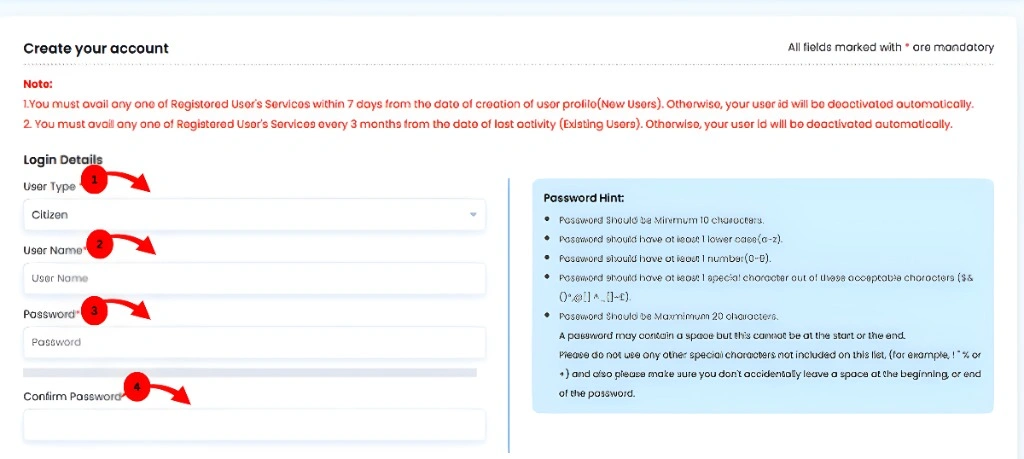
- Choose your user type from the list (e.g., citizen, document writer, advocate, etc.).
Fill in Your Personal Details
- Username: Pick a unique username.
- Password: Create a strong password and confirm it.
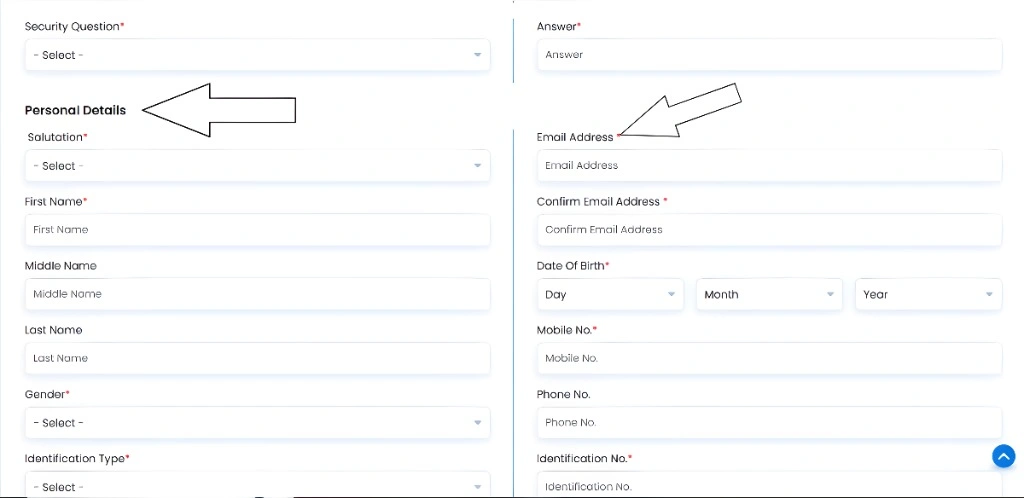
- Security Question: Choose a security question for account recovery.
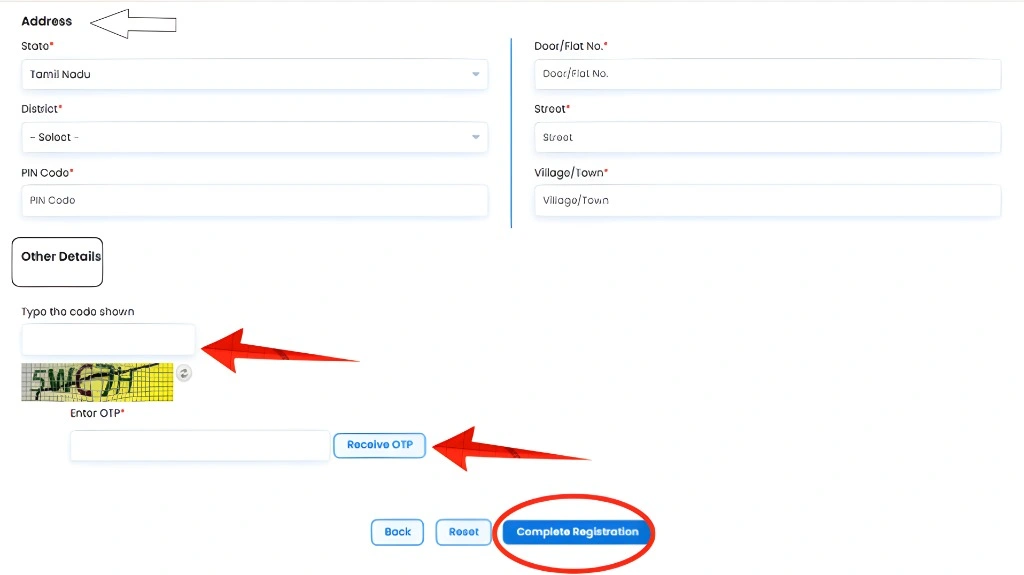
- Personal Information: Enter your name, gender, email, mobile number, ID proof, and address.
Complete CAPTCHA
- Enter the CAPTCHA code shown on the screen to confirm you’re not a robot.
Verify Your Information with OTP
- You’ll receive an OTP (One-Time Password) on your registered mobile or email.
- Enter the OTP to verify your details.
Complete Registration
- After verification, click on “Complete Registration” to finish the process.
- आप जानकारी डाउनलोड भी कर सकते हैं, अगर आक इसकी जरूरत हो।
Login to Start Using Services
- Once your account is created, log in with your username and password.
- You can now access services like EC view, patta chitta, marriage registration, and more.
Important Notes:
Property Registration
To register a property (e.g., sale deed, gift deed):
Visit TNREGINET Website: Go to https://tnreginet.gov.in to begin the registration process.
Create an Account: Register as a new user by providing personal details (name, email, mobile number) and creating a username and password.
Select Document Type: Choose the document type you want to register (e.g., sale deed, gift deed).
Enter Property and Party Details: Fill in the property details (e.g., location, survey number) and the details of the buyer and seller.
Upload Documents: Upload required documents like the sale agreement, ID proofs, and address proof for both buyer and seller.
Calculate Stamp Duty: Use the portal’s tool to calculate the stamp duty and make the payment online.
Book Appointment: Schedule an appointment at the Sub-Registrar Office (SRO) for document verification.
Generate Draft: Review and generate a draft of the document for submission at the SRO.
Final Verification: On the appointment date, visit the SRO with original documents for final verification and biometric authentication.
Track Registration Status: Post-submission, track the status of your property registration through the TNREGINET portal.
View Encumbrance Certificate (EC)

An EC confirms a property’s legal and financial status.
Log in to TNREGINET: Visit https://tnreginet.gov.in and log in with your username and password.
Go to E-Services: Navigate to the “E-Services” section and select “Encumbrance Certificate.”
Choose Search Type: You can search for the EC in three ways: EC-wise, Document-wise, or Plot/Flat-wise.
Enter Property Details: For EC-wise, enter zone, district, Sub-Registrar Office, EC start/end dates, village, survey number, and subdivision number.
Document-wise Search: If selecting Document-wise, input the document number, year, and Sub-Registrar Office details.
Enter Captcha Code: Fill in the captcha code as shown on the screen and click “Search.”
View EC on Screen: The EC details will appear on the screen.
Download EC: You can download the EC as a PDF for free after viewing it.
Payment Option: If you need a certified copy, make the applicable payment to receive it.
Access Anytime: Once processed, the EC can be accessed and downloaded anytime from the portal.
Check Guideline Value

Guideline value is the minimum property registration value set by the government.
Visit TNREGINET Portal: Go to https://tnreginet.gov.in and click on the “Guideline Value” option on the homepage.
Select Date Range: Choose the appropriate date range (e.g., from 01-07-2024) to access the latest guideline values for property transactions.
Enter Property Details: Fill in the required details such as zone, registrar office, registration village, street or survey number, and land classification.
Click “Search”: Once all required details are entered, click the “Search” button to proceed.
Use Guideline Value: The system will display the guideline value for the specified property, which you can use to calculate stamp duty and registration fees.

Street or Survey Number Search: If needed, you can search using either street name or survey number to find the exact guideline value.
No Login Required: You do not need to log in to check the guideline value; the service is available without registration.
View Results: The guideline value will appear on the screen after you click “Search.”
Access Historical Values: You can also access historical guideline values for different years (e.g., from 2002 to 2017) based on the selected property and area.
Download or Print: Once the guideline value is displayed, you can download or print it for future reference.
Document Search and Download
To access previously registered documents:
Easy Document Access:
Log into TNREGINET and search by document number, party names, or property details to instantly view and download registered documents.
Document Verification:
Verify documents before registration to ensure accuracy, reducing errors and delays in the registration process.
Required Documents for Registration:
Essential paperwork includes property ownership proof, ID, marriage certificates, and proof of residence.
Property Transaction Costs:
Stamp duties vary, e.g., 7% on sale deeds, 1% for mortgages, helping you budget for property deals.
Real-Time Document Status:
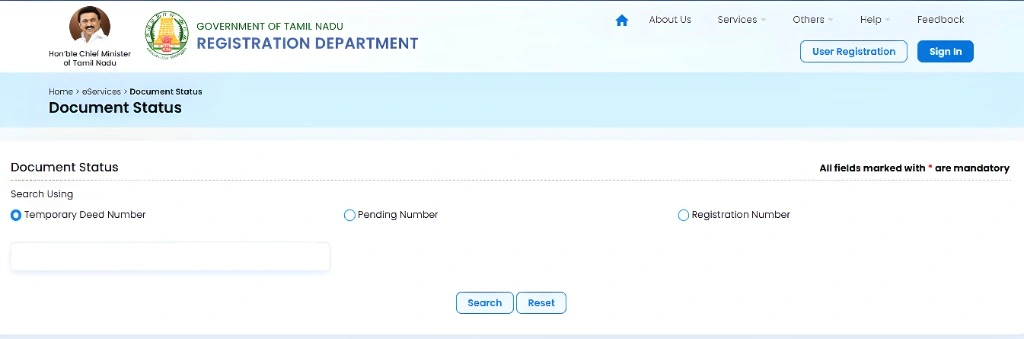
Track the status of your documents online, including pending registrations and temporary document numbers.
Efficient Property Management:
The TNREGINET portal simplifies document verification, application, and status tracking, saving time and reducing complexity.
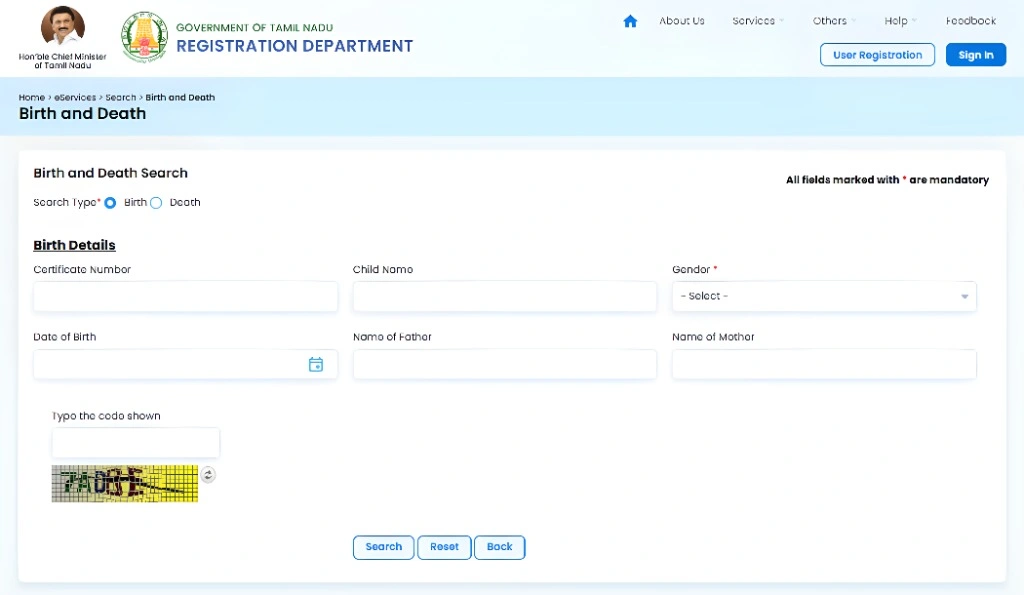
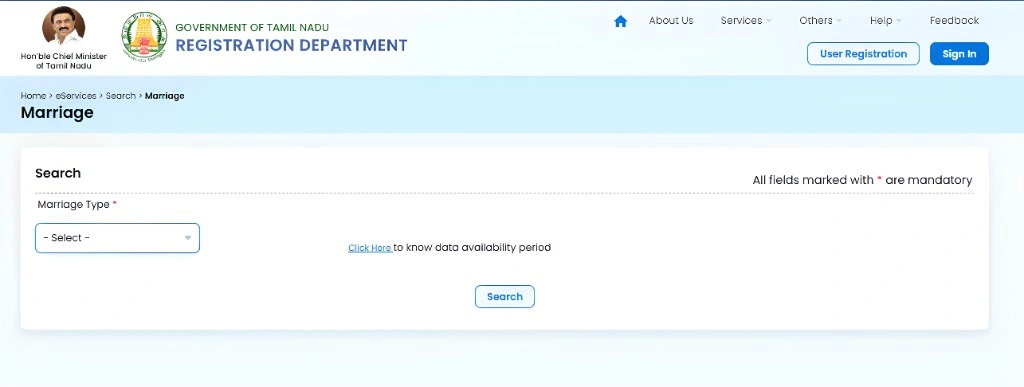
Marriage, Birth, and Death Registration
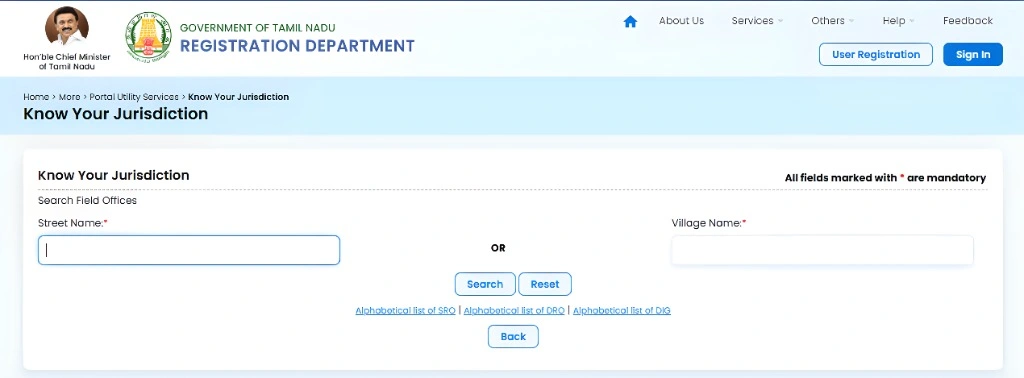
Checking Jurisdiction
Overview of TNREGINET (2026)
| Category | Details |
| Portal Name | TNREGINET |
| Launched By | Government of Tamil Nadu |
| Beneficial For | Tamil Nadu residents |
| Services Offered | – EC View Online- Encumbrance Certificate Download- Marriage & Birth/Death Certificate- Patta Chitta- Stamp Duty Payment- Building Value Calculation- Property Guideline Value Calculation |
| Eligibility | Tamil Nadu citizens |
| Official Website | tnreginet.gov.in |
| Helplines | 94984 52110, 94984 52120, 94984 52130 |
| Portal Features | – User registration required for secure access- Transparent, user-friendly interface- Online property transactions- Historical property records available- Efficient document verification and stamp duty payments |
| Benefits | – Faster and convenient property transactions- Resolves disputes quickly- Online payments for fees- Accessible from home |
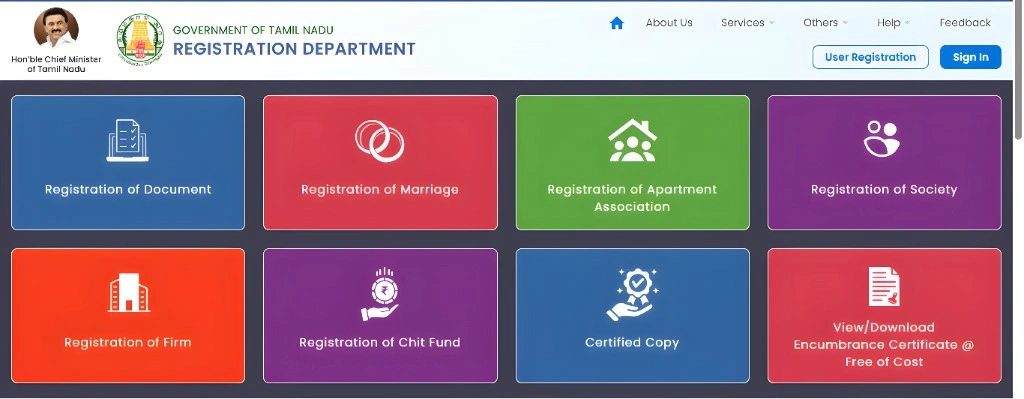
Key Features of TNREGINET
Key Benefits Of TNREGINET EC
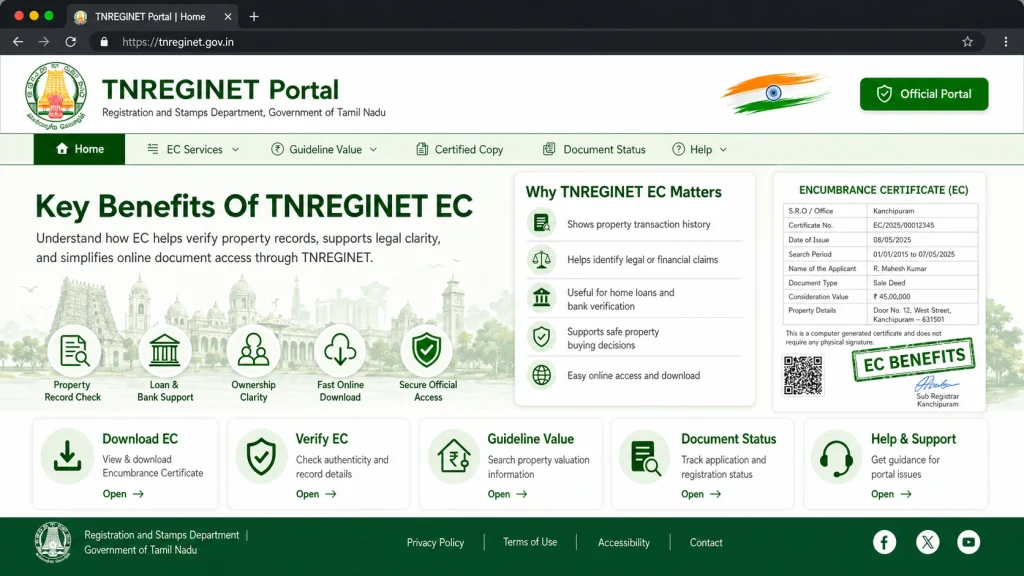
Time and Cost Efficiency
Reduces processing time and eliminates travel costs.
Paperless process, reducing physical paperwork.
No Need for Physical Visits
Complete services online, saving time and effort.
Access records and complete transactions from home.
Online Property Registration
Register sale deeds, mortgages, and other property documents digitally.
Easy and Secure Stamp Duty Payment
Calculate and pay stamp duty online, eliminating long queues and treasury visits.
Document Verification and Legal Assurance
Verify documents before registration to ensure accuracy and legitimacy.
Ensures property is free from legal dues or disputes.
Improved Process Efficiency and Transparency
Faster document verification and approval via automated workflows.
Real-time access to guideline values, Encumbrance Certificates, and other property details for better decision-making.
Importance of TNREGINET?
Convenience
TNREGINET allows you to complete property transactions, pay stamp duties, and request certificates online, eliminating the need for lengthy visits to government offices.
Transparency
The platform offers clear details about stamp duty charges, provides application status updates, and gives access to verified property records, ensuring no confusion and minimizing errors.
Time Saving
With its online features, TNREGINET significantly reduces the time needed for property transactions, document registration, and verification.
Easy Access to Property Records
Quickly access past property records and registered documents to verify ownership, check for legal issues, and ensure a smooth transaction.
Faster Dispute Resolution
Digital storage and verification of documents help resolve property disputes more efficiently by providing quick access to verified records.
Stamp Duty Payment at tnreginet.gov.in
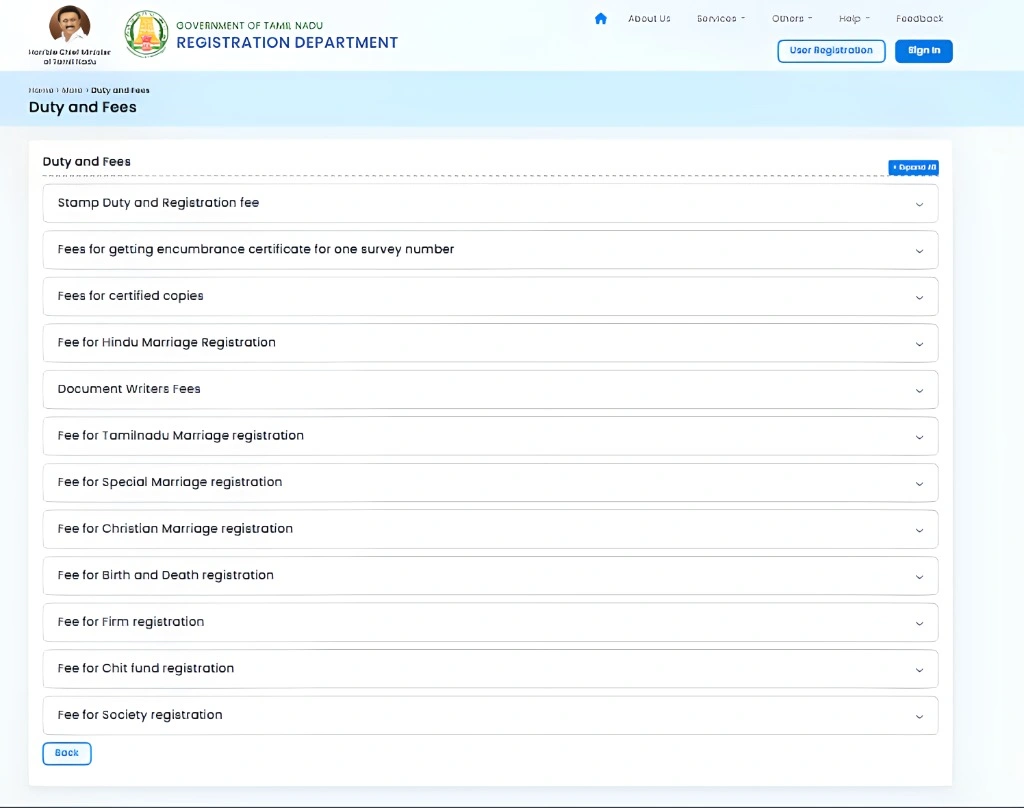
Log in to TNREGINET
Visit tnreginet.gov.in and log into your account.
Navigate to Stamp Duty Payment Section
Find and click on the “Stamp Duty Payment” section on the portal.
Enter Property Details
Enter the property value and document type to calculate the stamp duty.
Calculate and Pay
The portal will calculate the stamp duty amount. Pay the amount using online methods like net banking, UPI, or debit/credit card.
Receive Receipt
After successful payment, download or print the payment receipt for proof.
Use Stamp Duty Calculator
Access the online calculator to estimate stamp duty based on property details and ensure transparency in the calculation.
How to Download Public utility Application Forms for Various Services (2026)
Visit the TNREGINET Registration Website
Go to the tnreginet.gov.in/portal.
Navigate to Public Utility Forms
Open the menu and select “More” > “Public Utility Services” > “Public Utility Forms”.
Choose Form Format
Select between downloading the forms in MS or PDF format.
Select Language
Choose your preferred language: Tamil or English.
Fill Out the Application
Enter the required details, attach the necessary documents, and sign the form.
Review and Submit
Double-check your information, then submit the application to the relevant authorities.
These steps help you easily download and submit public utility forms on TNREGINET.
Contact and Support
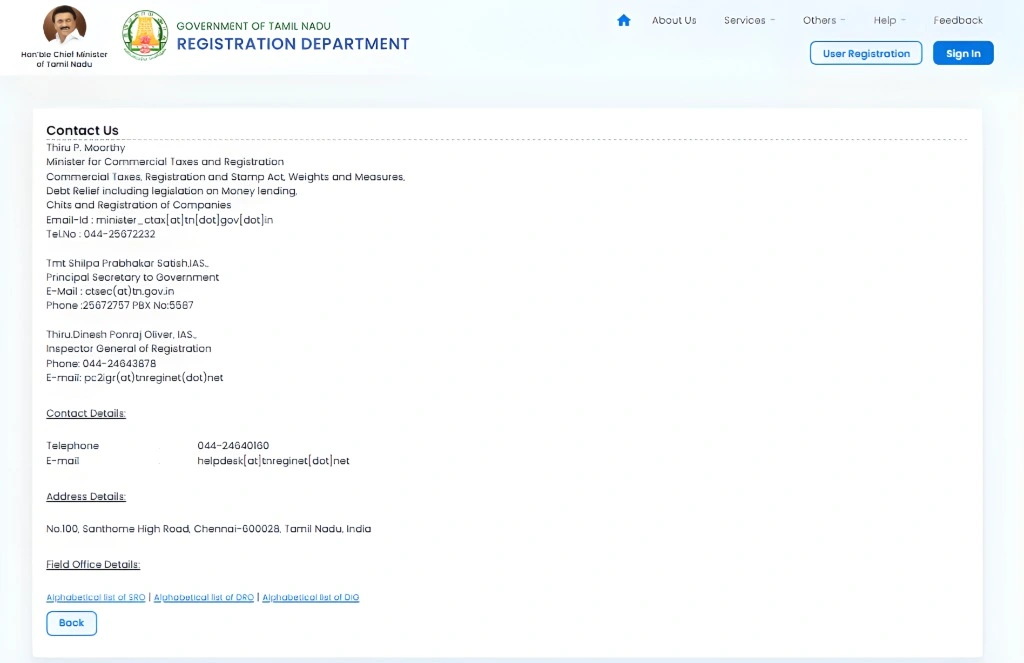
Helpdesk Support
Phone: 044-24640160
Email: helpdesk@tnreginet.net
Hours: Monday–Friday: 8 AM–8 PM, Saturday: 10 AM–5 PM
Languages: Tamil and English
Complaints and Clarifications
Phone: 9498452110, 9498452120, 9498452130
Hours: Monday–Friday: 10 AM–5:45 PM (excluding Government holidays)
Software Queries
Phone: 1800 102 5174
Hours: Monday–Friday: 8 AM–8 PM, Saturday: 10 AM–5 PM (excluding Government holidays)
TNREGINET Video tutorial
FAQs
Final Words
TNREGINET is Tamil Nadu’s official online portal for property registration, Encumbrance Certificate (EC) services, guideline value checks, marriage registration, and other legal document processes. This all-in-one platform helps citizens save time, reduce paperwork, and access essential services through a secure, transparent, and user-friendly system. With online payments, document tracking, and quick access to land and registration records, TNREGINET makes property and legal documentation faster, easier, and more convenient across Tamil Nadu.