Seeing the message “Mobile Number Not Registered” on TNREGINET can be confusing, especially when you need to check EC, guideline value, document status, or download a certificate.

This usually means your mobile number is not linked with a TNREGINET user account, or you are entering a different number from the one used during registration.
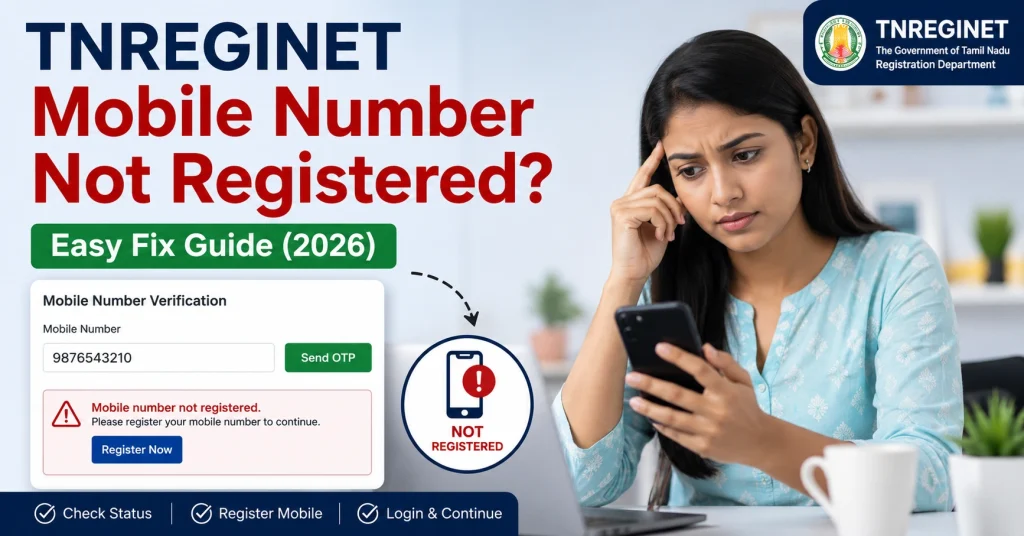
TNREGINET Mobile Number Not Registered? Easy Fix Guide (2026)

Quick Fix Guide

If TNREGINET says your mobile number is not registered, first check whether you created an account with the same mobile number. If not, register as a new user. If your old number was used earlier, try username/email login or contact TNREGINET support.

You can also read: Reset TNREGINET Login OTP Failure Fix (Easy Guide 2026)

Why TNREGINET Shows Mobile Number Not Registered

Common reasons include:

  • You never created a TNREGINET account
  • You entered the wrong mobile number
  • Your account was created with another mobile number
  • Your mobile number changed recently
  • OTP verification was not completed
  • Browser cache is showing an old error
  • The TNREGINET server is slow or busy

Fix 1: Check the Mobile Number Carefully

First, re-enter your mobile number slowly.

Make sure:

  • The number has 10 digits
  • There is no space before or after the number
  • You are not adding +91 unless the form asks for it
  • The SIM is active and able to receive SMS

Small typing mistakes are a common reason for this error.

Fix 2: Try Login With Username or Email

If your mobile number is not working, try another login option.

Use:

  • Username
  • Registered email ID
  • Old mobile number, if you remember it

Many users forget that they created their TNREGINET account with an older number.

Fix 3: Register as a New User

If you never created an account before, you need to register first.

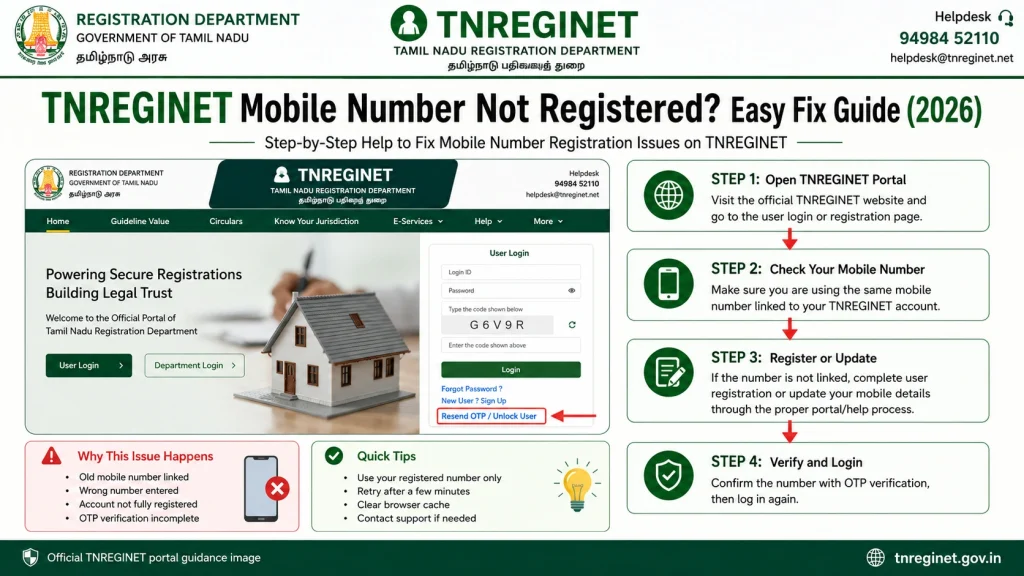
Basic steps:

  • Open the official TNREGINET portal
  • Go to User Registration
  • Enter your name, email, mobile number, and address
  • Create a username and password
  • Complete OTP verification
  • Save your login details safely

TNREGINET user registration normally requires personal details, email, mobile number, username, password, and OTP verification.

Fix 4: Wait and Try Again Later

  • Sometimes the message appears because the website is busy.
  • Try again after 10 to 15 minutes.
  • You can also try during early morning or late evening when the portal may load faster.

Fix 5: Clear Browser Cache

Old browser data can create login errors.

Try this:

  • Open Chrome settings
  • Clear cache and cookies
  • Close the browser
  • Open TNREGINET again
  • Try login or registration again

You can also use Incognito Mode.

Fix 6: Use the Correct Official Portal

  • Always use the official TNREGINET website.
  • Do not enter your mobile number on unknown third-party websites. Some sites only provide guides and are not official government portals.

Fix 7: If Your Old Mobile Number Is Lost

If your TNREGINET account is linked to an old number that you no longer use, you may not receive OTP.
Fix 7: If Your Old Mobile Number Is Lost

In this case:

  • Try logging in with username or email
  • Use forgot password if available
  • Check if email OTP is offered
  • Contact TNREGINET support
  • Keep ID proof and account details ready

Do not create many accounts with different numbers unless needed. It can confuse future certificate or document requests.

When to Contact TNREGINET Support

Contact support if:

  • Your mobile number was registered before but now shows not registered
  • You lost access to your old mobile number
  • OTP is not coming even after several tries
  • Your account is locked
  • Certificate download or payment is linked to the old login

The official TNREGINET portal lists help/user manual sections and contact options for complaints, clarifications, and software-related queries.

Some official TNREGINET pages show support numbers such as 9498452110, 9498452120, 9498452130, and 1800 102 5174 for complaints, clarifications, and software queries.

Helpful Tip Before Calling Support

Keep these details ready:

  • Your full name
  • Mobile number
  • Email ID
  • Username, if available
  • Screenshot of the error
  • Service you were trying to use
  • Date and time of the issue

This helps support understand your issue faster.

FAQs

It means the mobile number is not linked with any TNREGINET account, or you are using a different number from the one used during registration.

Some public searches may work without login, but services like account login, OTP verification, certificate requests, and some downloads may need registered details.

If the portal allows profile update after login, you may update it there. If you cannot log in because the old number is lost, contact TNREGINET support.

Create a new account only if you never registered before. If you already have an account, try recovering it first.

OTP may be delayed due to mobile network issues, server load, wrong number, or repeated OTP requests.

Final Words

The TNREGINET Mobile Number Not Registered error is usually easy to fix. Start by checking the number, then try username or email login. If you never created an account, register as a new user.
If your old number is lost or the same number was working before, contact TNREGINET support with your details and a screenshot.
Similar Posts