What to Do if TNREGINET EC Shows No Record for Your Property
The Encumbrance Certificate (EC) is an essential document in property transactions as it provides the legal history of a property, including ownership, sales, and any encumbrances (like mortgages or loans). However, if you’ve searched for an EC on TNREGINET and found that there is no record for your property, it can be frustrating, especially if you need the certificate for legal or financial purposes.
In this article, we will explore the common reasons why TNREGINET might show no record for your property and what steps you can take to resolve the issue.
Common Reasons for Missing EC Records on TNREGINET
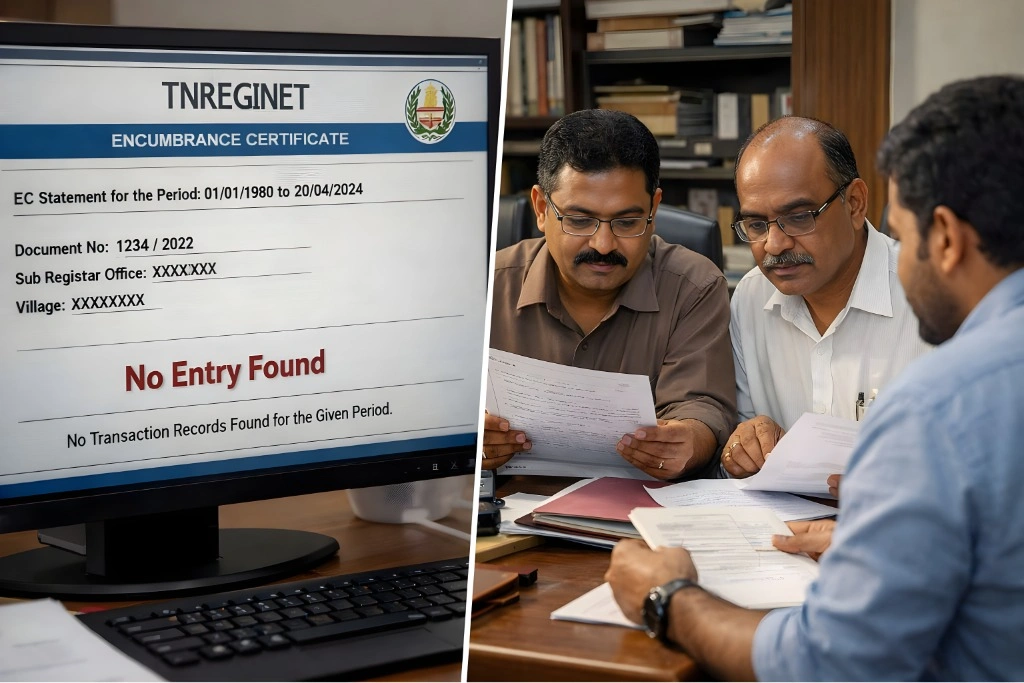
Incorrect Property Details Entered
Problem: The most common reason for a missing EC record is incorrect property details entered during the search. If you’ve made an error in entering the survey number, district, sub-registrar office, or owner’s name, the portal might not be able to find your property in the database.
Solution: Double-check the property details entered on TNREGINET. Verify the survey number, district, sub-registrar office, and other relevant details from your Sale Deed, Patta, or Chitta. Correctly enter these details in the portal and search again.
Property Not Registered Yet
Problem: If the property has not been registered or is recently registered, there may be a delay in updating the TNREGINET database. In such cases, TNREGINET may show no record for the property.
Solution: If the property was recently registered, it might take some time for the records to be updated on TNREGINET. Wait for a few days or weeks and then check again. If the property was never registered, you may need to register it with the Sub-Registrar Office.
Incorrect Date Range Selected
Problem: TNREGINET allows you to select a date range when requesting an EC. If you select an incorrect date range that does not cover the actual transaction period, the EC might show no record.
Solution: Ensure that the start and end dates you enter while requesting the EC match the actual transaction period of your property. For example, if the property was sold or mortgaged in 2018, make sure the date range covers that year.
Property Data Not Updated in the System
Problem: Sometimes, especially in rural or underdeveloped areas, property data might not have been digitized yet. As a result, the property records might not be available on the TNREGINET portal.
Solution: Visit the Sub-Registrar Office or Revenue Department office where the property is registered and request the missing EC or verify the registration details. They may have manual records available that are not yet updated online.
Technical Issues with TNREGINET
Problem: Technical glitches or server issues can also result in missing EC records. If there’s a temporary problem with the TNREGINET portal, it might not display the correct data.
Solution: If you suspect technical issues, try refreshing the page, clearing your browser’s cache, or using a different browser. If the problem persists, contact TNREGINET support for assistance.
You can also read:Why Your TNREGINET EC Might Be Missing Property Data 2026
Step-by-Step Guide to Fixing the “No Record” Issue
Step 1: Verify Property Details
Double-check the property details entered on TNREGINET:
Survey Number
Document Number
Sub-Registrar Office
District
Compare these details with your Sale Deed, Patta, Chitta, and any other official documents you have.
Step 2: Ensure the Property is Registered
If the property is newly registered, allow some time for the records to be updated in the TNREGINET database.
If the property is not registered yet, visit the Sub-Registrar Office to complete the registration process. Once registered, you can access the EC on TNREGINET.
Step 3: Correct the Date Range
Ensure that the date range you select when requesting the EC covers the period during which the property transaction took place.
If you’re not sure about the transaction date, refer to the Sale Deed or other relevant documents.
Step 4: Visit the Sub-Registrar Office
If the EC is still missing after verifying the details, visit the Sub-Registrar Office where the property is registered. Provide them with the necessary property details, and they will be able to verify the property’s registration status. If there is a technical issue on TNREGINET, the office may issue the EC manually.
Step 5: Contact TNREGINET Support
If the issue is not resolved through manual checks or at the Sub-Registrar Office, contact TNREGINET support. They can assist you in identifying any system-related problems or discrepancies.
FAQs
Final Words
Finding that TNREGINET EC shows no record for your property can be frustrating, but it’s a solvable issue. By carefully checking the property details, ensuring the correct date range, and verifying the registration status at the Sub-Registrar Office, you can resolve most cases of missing property records. If the issue persists, don’t hesitate to contact TNREGINET support for further assistance.
By following the right steps, you can quickly get the Encumbrance Certificate (EC) you need and proceed with your property transactions without delay.