How to Correct Errors in TNREGINET EC Update (2026)
If you found a mistake in your TNREGINET EC, do not panic. In many cases, the problem is either a search mismatch, a wrong Sub-Registrar Office selection, an old record issue, or a mistake carried from the original registered document. The TNREGINET portal lets people view and download ECs for free, check jurisdiction, and request certified copies, but if the record itself is wrong, the practical fix usually starts with verifying the documents and then contacting the concerned Sub-Registrar Office.
Quick Correction
To correct an error in TNREGINET EC, first compare the EC with your sale deed, patta, survey details, and document number. Then confirm you are searching under the correct SRO by using Know Your Jurisdiction on TNREGINET. If the mistake is only in the search result, a fresh search may fix it. If the mistake exists in the official record, visit the concerned Sub-Registrar Office with proof and a written request. If the wrong detail came from the original registered deed itself, you may need a rectification deed or correction deed instead of only re-downloading the EC.
You can also read: TNREGINET Guideline Value Check Online Update (2026)
What is a TNREGINET EC?
An Encumbrance Certificate, or EC, is the property record used to check registered transactions linked to a property for a selected period. It is commonly used during property purchase, sale, loan processing, and legal verification. Current Tamil Nadu guidance and ranking resources consistently describe EC as a Sub-Registrar-based property transaction record, and the TNREGINET portal offers online EC view/download as part of its public services.
Common TNREGINET EC errors people usually see
Common TNREGINET EC errors people usually see
Most people do not search for “EC correction” until one of these problems shows up:
owner name spelling mistake
wrong father name or initials
survey number or subdivision mismatch
wrong village, street, or SRO
missing sale, mortgage, release, or settlement entry
incorrect document year or document number
extent, boundary, or property description mismatch
These are also the same kinds of issues repeatedly discussed in current Tamil Nadu EC articles and user-help content.
Before you request any correction, check these 4 things
Check the correct SRO first
A lot of “wrong EC” complaints actually start with the wrong Sub-Registrar Office. TNREGINET itself prominently provides a Know Your Jurisdiction tool for this reason. If you search under the wrong office, your record may look incomplete or not appear at all.
Match the details exactly with your deed
The official TNREGINET certified-copy workflow allows users to search a document by document number, SRO, and year, make payment, and then download the digitally signed copy after office approval. If the EC entry looks doubtful, the certified copy helps you confirm what was actually registered.
Recheck the time period
Sometimes the transaction is outside the selected search range. If the search period is too short, an older sale or mortgage will not show up.
Get the certified copy if the issue looks serious
The official TNREGINET certified-copy workflow allows users to search a document by document number, SRO, and year, make payment, and then download the digitally signed copy after office approval. If the EC entry looks doubtful, the certified copy helps you confirm what was actually registered.
Step-by-step: how to correct errors in TNREGINET EC
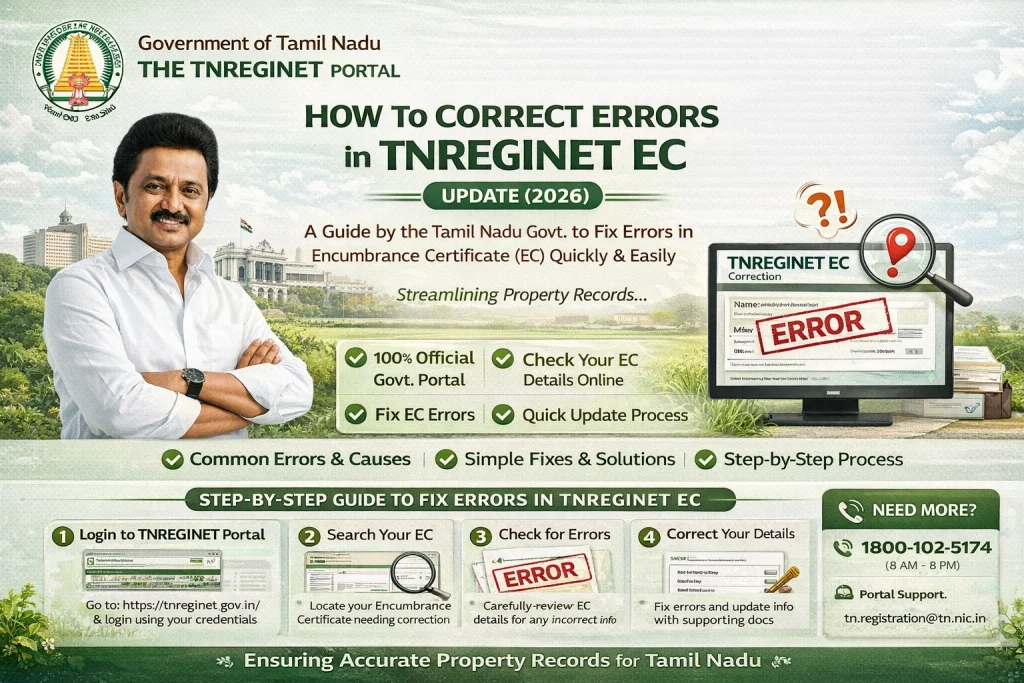
Step 1: Download or print the current EC
Start with the exact EC version you are questioning. Mark the wrong details clearly so you do not explain the issue differently each time.
Step 2: Compare it with your original proof
Keep these documents side by side:
any supporting sketch or land record if the survey details are wrong
sale deed or parent deed
patta/chitta, if relevant
old EC, if available
ID proof if the name is wrong
any supporting sketch or land record if the survey details are wrong
Step 3: Decide where the mistake started
This is the most important part.
If the search input was wrong, you do not need correction. You just need to rerun the search correctly.
If the EC display/record is wrong but your registered document is correct, take the matter to the concerned SRO with proof.
If the registered deed itself contains the wrong name, survey number, extent, or another factual clerical mistake, a simple EC re-download will not solve the problem. In that case, the correction usually has to begin with the underlying property document, often through a rectification deed or correction deed. Real-estate legal guides consistently describe rectification deeds as the tool used to fix genuine factual mistakes in registered property documents.
Step 4: Visit the concerned Sub-Registrar Office
Write a short application explaining:
Submit copies of supporting papers and keep acknowledgment proof if the office gives one.
Step 5: Ask specifically what kind of fix is needed
Do not just say, “My EC is wrong.”
Say one of these instead:
This saves time and helps the staff direct you properly.
Step 6: Recheck the EC after the update
Once the office confirms the issue is resolved, rerun the EC search using the exact corrected details. If needed, also download the certified copy again.
Documents to carry for EC correction
Carry originals plus photocopies of these, depending on your case:
Sample application format
You can use this simple format in your article:
Subject: Request for correction of error in Encumbrance Certificate
Respected Sir/Madam,
I request correction of an error found in the Encumbrance Certificate relating to my property registered under Document No. [number], Year [year], at [SRO name]. The mistake appears in [owner name / survey number / extent / village name / document details]. The correct detail is [correct detail]. I am attaching copies of the relevant deed and supporting records for verification. Kindly verify the records and guide me on the required correction process.
Thank you,
[Your Name]
[Mobile Number]
[Address]
What if TNREGINET shows “No Records Found”?
This does not always mean the property is clean or error-free. It may simply mean the search details were incomplete, the wrong SRO was used, the date range was too narrow, or the property record is older and not showing the way you expected online. Even current help pages around TNREGINET keep repeating these same causes.
Important note about “online EC correction” claims
While some current competitor articles say users can click a correction button, generate a correction token, upload proofs, and finish the process fully online, I could not verify that workflow from the official TNREGINET pages surfaced in search. Official TNREGINET results clearly show EC view/download, certified copy, jurisdiction lookup, guideline search, and helpdesk contact. For accuracy, it is better to write that users should verify the issue on the portal first and then contact the concerned SRO if the record itself is wrong.
TNREGINET helpdesk details
TNREGINET helpdesk details
The official TNREGINET portal currently lists this quick contact information:
Simple tips to avoid EC mistakes later
Always save the document number, year, and SRO right after registration. Use the exact spelling from the registered deed. Check the EC before applying for a bank loan or finalizing a sale. If there is a typo in the deed itself, do not ignore it just because the property transaction is already done. Small clerical errors can become bigger title-check problems later.
FAQs
Final Words
If your TNREGINET EC has an error, the smartest move is to stay calm and check the basics first. Start with the correct SRO, match every detail with your sale deed, and confirm whether the problem is in the search result, the EC record, or the original registered deed.
That one step can save you time, money, and confusion. If the record is truly wrong, approach the concerned Sub-Registrar Office with proof and ask for the proper correction path.