How to Check Encumbrance Certificate in Tamil Nadu (2026)
Checking an Encumbrance Certificate in Tamil Nadu is now much easier than before. You do not always need to visit an office first. The Tamil Nadu Registration Department’s official portal, TNREGINET, offers Search/View EC and View/Download Encumbrance Certificate @ Free of Cost, which helps people verify property records online.

Quick answer
To check an Encumbrance Certificate in Tamil Nadu, go to the official TNREGINET portal, open Search/View EC, enter the property or document details carefully, and review the result online. If you are not sure about the correct Sub-Registrar Office, use Know Your Jurisdiction first.
You can also read: How to Correct Errors in TNREGINET EC Update (2026)
What is an Encumbrance Certificate?
An Encumbrance Certificate, usually called an EC, is a property record used to check whether a property has had registered transactions or liabilities during a selected period. It is commonly checked before buying property, taking a home loan, selling land, or verifying ownership history. Current explainers from Housing and ClearTax describe it as a key legal property document in Tamil Nadu property verification.
Why people check EC in Tamil Nadu
Most people check EC for one of these reasons:
That is also why EC-related pages are still searched heavily across Tamil Nadu property topics.
Details to keep ready before checking EC
Before opening the portal, keep these details with you:
Having the exact details saves time and reduces errors. Many current ranking pages cover the EC process, but they often do not stress enough that even one wrong entry can make the search fail.
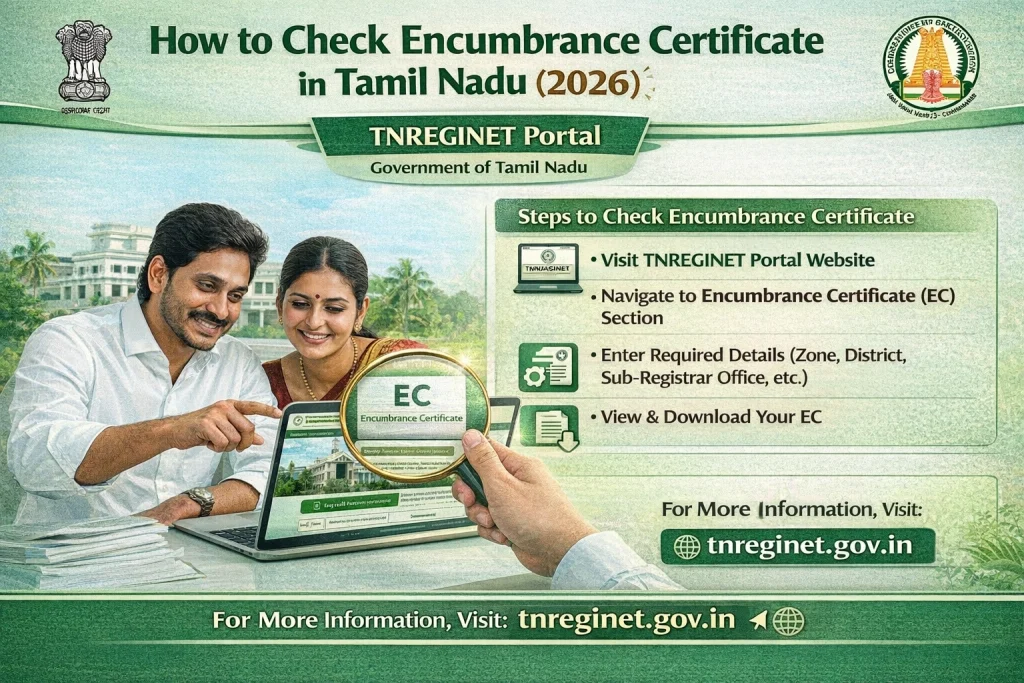
Step-by-step: how to check Encumbrance Certificate in Tamil Nadu
Step 1: Open the official TNREGINET portal
Visit the official TNREGINET website. On the homepage, you can see Search/View EC in Quick Search and also View/Download Encumbrance Certificate @ Free of Cost.
Step 2: Choose the EC search option
Select the EC search or EC view option from the portal. The TNREGINET homepage and help section both show that viewing EC online is one of the main public services.
Enter Property Details
Add the required details exactly as they appear in your sale deed, parent document, or property papers. Depending on the route you use, this can include location details, survey details, document number, year, and office details. Use exact spelling and numbers.
Step 4: Use the correct SRO
If you do not know the correct Sub-Registrar Office, do not guess. Use Know Your Jurisdiction on TNREGINET first. The official portal highlights this tool clearly because the wrong SRO is one of the biggest reasons users get stuck.
Step 5: Run the search and check the result
After entering the details, run the search and read the result slowly. Check:
whether the record matches your property
owner names
document details
registration year
office details
transaction entries
whether the record matches your property
Do not stop at “record found.” Make sure it is the right record.
Step 6: Save or download the EC
If the details are correct, save or print the EC for your records. The TNREGINET portal openly states that EC view and download are available free of cost.
Different ways to search EC
Different ways to search EC
In real use, people usually check EC in one of these ways:
This is why document-based and property-based TNREGINET articles both perform in search. Different users come with different details in hand.
What to do if TNREGINET shows no record
This is one of the most common problems. It does not always mean the property has no history. It often means one of these:
Start by checking the jurisdiction again, then compare every detail with your deed and search once more. That simple retry solves many cases. Current TNREGINET help-style pages and competitor guides repeatedly reflect these same user pain points.
Simple tips to check EC correctly
Keep the sale deed open in front of you while searching. Use exact numbers, not memory. Do not assume the nearest office is the correct SRO. For flats, remember that parent land records and flat sale records may not always be the same search path. For older properties, try a wider search period.
These small steps sound basic, but they make the process much easier and reduce confusion.
Is online EC enough before buying property?
Online EC is very useful, but it should not be your only check. It helps you review registered transactions, but careful buyers also compare the EC with the sale deed, identity details, and other property papers. ClearTax and Housing both position EC as an important part of due diligence, not the only step.
FAQs
Final Words
If you want to check an Encumbrance Certificate in Tamil Nadu, TNREGINET is the main official online place to start. The process is simple when you have the right details: open the portal, choose Search/View EC, enter the property or document details carefully, and verify the result slowly.
Most problems happen because of small mistakes like wrong SRO, wrong year, or wrong survey details. When you stay careful and use the official tools properly, checking EC becomes much easier.