Download Joint Property EC from TNREGINET Latest Update 2026
If a property has multiple owners, you may need a Joint Encumbrance Certificate (EC) to show all transactions and ownership details. The TNREGINET portal provides an easy way to download this certificate. Here’s how to do it quickly and accurately.
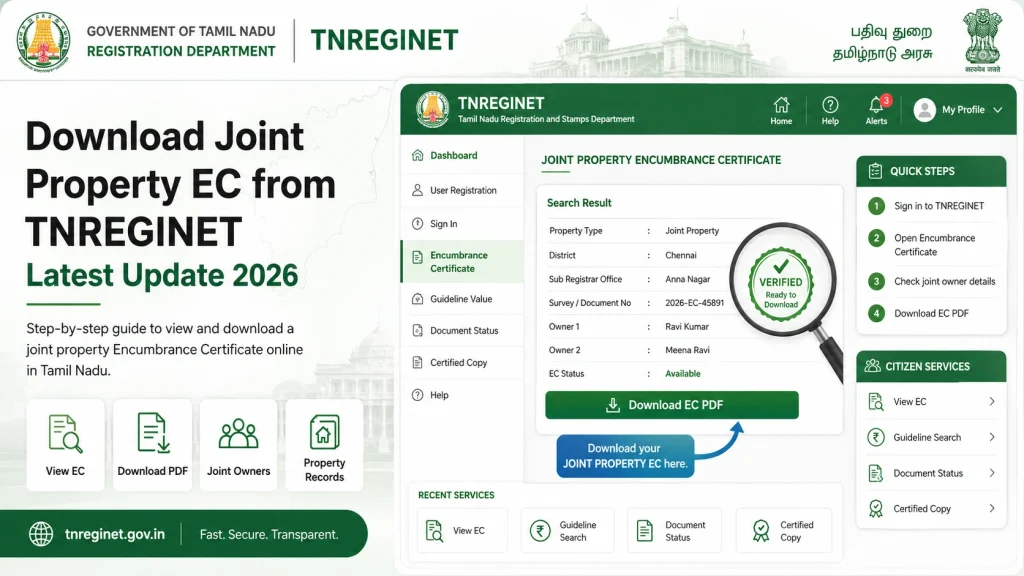
Step by Step Download Joint Property EC
Step 1: Prepare Property Details
- logging in, gather all necessary information:
- Survey numbers for the property
- Village or locality details
- District and Sub-Registrar Office (SRO) information
- Names of all owners if applicable
- Date range for which you want the EC
- Having these details ready will make the process smooth and fast.
Step 2: Log in to TNREGINET
- Visit the official TNREGINET portal
- Register or log in with your credentials
- Verify your login via OTP if required
- A verified login ensures access to EC records for joint properties.
Step 3: Navigate to Encumbrance Certificate Section
- Once logged in:
- Select Encumbrance Certificate / EC View
- Choose the District and SRO Office
- Enter all relevant survey numbers and village information
- Include names of all joint owners if the portal requires it
- Select the date range for the certificate
- This ensures the EC shows all transactions for the joint property.
Step 4: Search and Generate EC
- Click Search / Submit
- The portal will display the EC for the joint property with all ownership details
- Review the transactions and confirm all owners are listed
- Tip: If the EC does not show all owners, double-check the survey numbers and names.
Step 5: Download the Joint Property EC
- Once the certificate is displayed, click Download PDF
- Save it on your device for legal, financial, or verification purposes
- Keep a copy of the downloaded certificate for future reference
- Downloading ensures you do not need to log in repeatedly for the same EC.
You can also read: TNREGINET Mobile App Review: A Better Way to Access EC 2026
Quick Tips for Joint Property EC
Ensure all owners’ details are correct before searching
Use official TNREGINET portal only to avoid errors
For multiple properties, download ECs one at a time
Double-check survey numbers and date ranges to avoid missing transactions
If a transaction is missing, contact the SRO for corrections
Common Errors and How to Fix Them
| Error | Solution |
|---|---|
| EC shows only one owner | Include all owners’ names in the search |
| No records found | Check survey number, village, and date range |
| PDF blank or incomplete | Retry later or clear browser cache |
| Multiple survey numbers not showing | Search each survey number individually |
| New property not updated | Wait a day or verify with SRO |
How to Handle Joint Property Transactions History
When downloading a joint property EC, it’s important to understand the full transaction history:
Tip: Always keep a copy of older ECs if you plan to compare past property transactions.
Using TNREGINET for Legal or Loan Purposes
Joint property ECs are often required for:
The EC acts as a proof of ownership and encumbrance status, so make sure it is accurate and complete. TNREGINET provides a secure and verifiable way to obtain this certificate digitally, which saves time compared to visiting offices in person.
FAQs
Final Words
Downloading a Joint Property EC from TNREGINET is straightforward if you prepare all owner and property details beforehand. Using the official portal ensures accuracy and legal validity.
Always double-check survey numbers, owners’ names, and date ranges, and keep a PDF copy for future use. Following these steps guarantees you can quickly obtain a complete joint EC without unnecessary office visits or delays.