Why EC Can’t Show Older Property Transactions in TNREGINET
If you have tried to check the Encumbrance Certificate (EC) for your property on TNREGINET and noticed that older property transactions are missing, you are not alone. Many property owners face this issue. Understanding why this happens is important so that you can take the right steps to get the records you need. In this guide, we will explain the reasons behind missing older transactions and what you can do to access them.
Main Reasons Older Transactions Don’t Appear
The TNREGINET portal is designed to make property records easier to access, but there are some limitations:
Digitization Limitations:
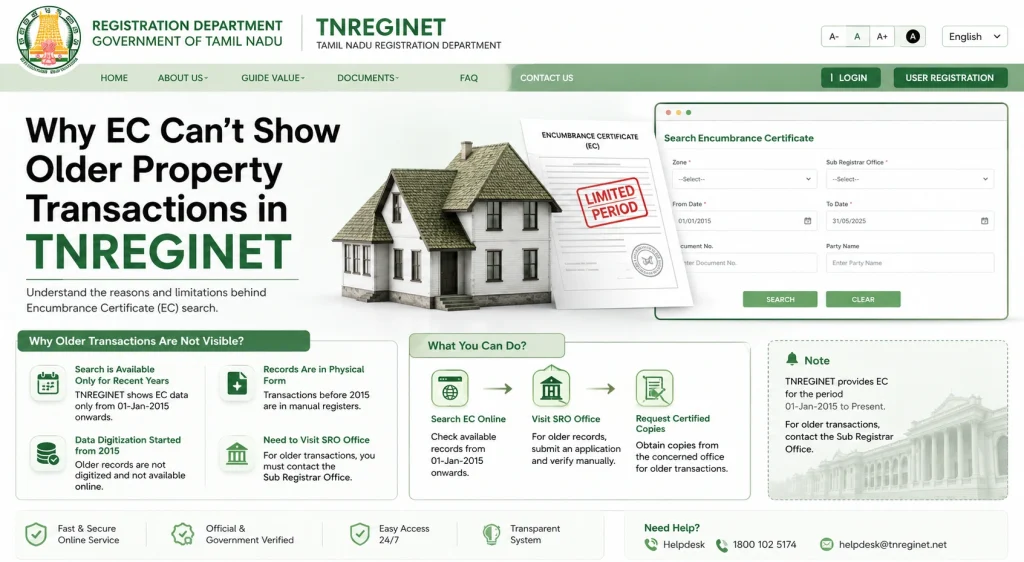
Older transactions, especially those registered before TNREGINET started, may only exist in physical files at the Sub-Registrar Office (SRO) and have not been digitized yet.
Limited Historical Data:
The portal usually shows transactions up to 30 years old. Anything older may not appear online.
Changes in Survey or Property Numbers:
If a property’s survey number or plot identification has changed over time, older transactions may not match the current search criteria.
System Migration Issues:
During the process of moving older records into the portal, some entries may be incomplete or missing due to formatting differences or clerical errors.
Manual Verification Required:
Very old transactions often require manual verification at the SRO because online records may not fully cover them.
You can also read: Check EC Status & Older Property Transactions on TNREGINET
How to Find Older EC Transactions Not Showing Online
If your search does not display older property records, here are some steps to follow:
Tip: Always keep a record of all old documents and numbers to make the retrieval process faster and smoother.
Why TNREGINET Has These Limitations
Understanding the reasons behind missing data can help you avoid confusion:
Digitization is ongoing:
The government is gradually digitizing older records. The process takes time due to the volume of historical data.
Legal accuracy:
Online records are only as accurate as the data entered from physical files. Missing entries often reflect gaps in historical documentation.
Data security:
Only verified and fully uploaded records are shown online to prevent mistakes or incomplete ECs being used for legal purposes.
Tips to Avoid Missing Records
Here are some ways to reduce the chances of missing EC records in the future:
Keep all previous property documents like sale deeds, prior ECs, and mutation records.
Note any changes in survey numbers or plot numbers over time.
Use correct date ranges when searching on TNREGINET to ensure all transactions are included.
Regularly download ECs after property transactions to maintain a personal digital record.
How to Keep Your Property Records Organized
Maintaining organized records helps avoid confusion and makes it easier to retrieve ECs:
FAQs
Final Words
Missing older property transactions on TNREGINET can be frustrating, but knowing why this happens and how to access them makes the process easier. Always keep your property’s historical records handy, maintain organized digital and physical copies, and if online searches fail, visit the Sub-Registrar Office to request certified ECs.
By understanding TNREGINET’s limitations and following these tips, you can ensure your property records are complete, accurate, and ready for any legal or financial requirement.