Check EC Status & Older Property Transactions on TNREGINET
TNREGINET is the official portal of the Tamil Nadu Registration and Stamps Department that allows citizens to check Encumbrance Certificates (EC), property transactions, guideline values, and download certificates online. While it makes property services faster and more accessible, many users face challenges like missing older property transactions, difficulty finding records, or understanding technical details. This guide explains step by step how to check EC status, why some older transactions may not appear, and practical tips to manage property records efficiently.
What Is an Encumbrance Certificate (EC)?
An Encumbrance Certificate (EC) is a legal document that shows all registered transactions on a property over a specified period. It includes sales, mortgages, transfers, and other legal dealings. ECs are crucial for buyers, sellers, and banks to ensure that the property is free from any legal or financial encumbrances.
Think of an EC as a property history report that helps confirm the legality and ownership of a property.
You can also read: How to Check EC Status and Updates on the TNREGINET Portal
How to Check EC Status on TNREGINET
Checking EC online is simple if you follow the correct steps:
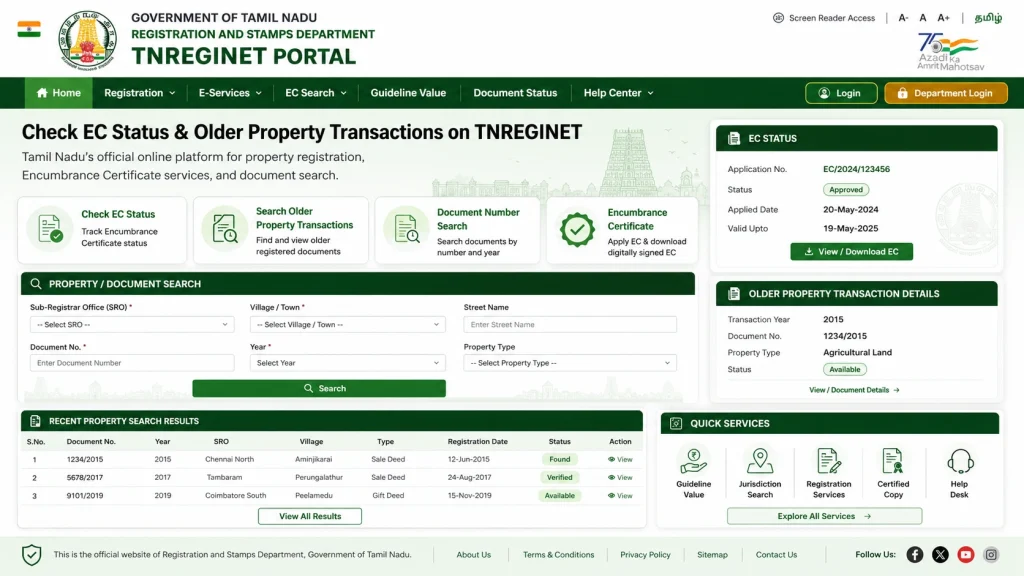
Tip: Always double-check survey or document numbers to avoid errors.
Why Older Property Transactions May Not Appear
Many users notice that older transactions do not appear in TNREGINET. The reasons include:
Digitization Limitations:
Older records may exist only in physical files at the SRO.
Limited Historical Data:
TNREGINET usually displays transactions up to 30 years.
Changes in Survey or Plot Numbers:
Older entries may not match current property identifiers.
System Migration Issues:
Some historical records may not have been uploaded due to formatting or clerical errors.
Manual Verification Needed:
Very old records require a visit to the SRO for certified copies.
Understanding the Technical Process Behind TNREGINET’s EC
TNREGINET’s EC system works through digitization and database management:
Property registrations are entered at the SRO.
Older records are scanned, verified, and uploaded.
Each property is assigned unique identifiers, like survey or document numbers.
Searches match user inputs with the database and generate a digitally signed EC.
Security measures ensure EC PDFs are legally valid and tamper-proof.
Tip: Knowing this helps troubleshoot missing or incomplete ECs.
How to Find Older EC Transactions Not Showing Online
If your EC search does not display older records:
Tips to Avoid Missing Records
How to Keep Your Property Records Organized
FAQs
Final Words
TNREGINET makes property transactions, EC checks, and certificate downloads faster and more convenient. Missing older property transactions can be frustrating, but by understanding why they occur, keeping proper records, and knowing how to retrieve certified copies from the SRO, you can ensure your property documents are complete and legally valid.
By following this guide, you can confidently manage your ECs, avoid unnecessary visits to the SRO, and have accurate property records ready for banks, buyers, or legal purposes.