Sometimes, after downloading your Encumbrance Certificate (EC) from TNREGINET, you may notice errors such as incorrect owner name, survey number, or transaction details. These errors can create problems when you use the EC for property sale, loan, or legal purposes. Fortunately, you can request corrections online through the TNREGINET portal. Here’s a complete guide.
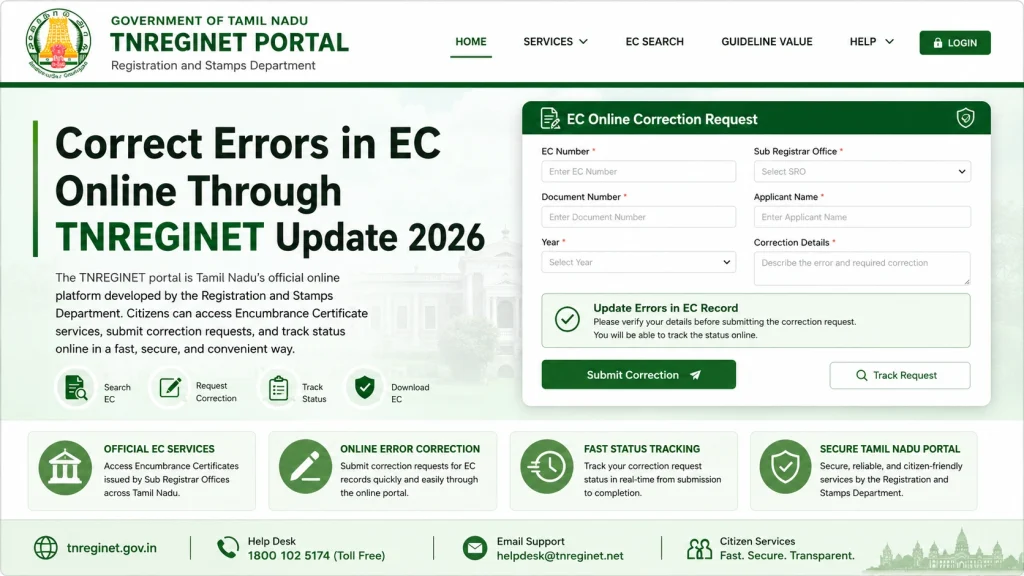
Correct Errors in EC Online Through TNREGINET Update 2026

Step by Step Correct Errors in EC Online

Step 1: Identify the Error Clearly

  • Before requesting a correction, make sure you know exactly what is wrong:
  • Owner name spelling mistakes
  • Wrong survey number or property details
  • Missing transactions
  • Incorrect date or registration number
  • Tip: Keep a copy of your original sale deed or registration document to verify the correct information. This helps avoid submitting wrong details during the correction request.

Step 2: Log in to TNREGINET

  • Visit the official TNREGINET portal
  • Register or log in with your credentials
  • Verify your login via OTP if required
  • A verified login ensures access to EC records for correction requests. Make sure your mobile number is active for OTP verification.

Step 3: Navigate to the Correction Request Section

  • Once logged in:
  • Go to Encumbrance Certificate / EC View
  • Select the property corresponding to the EC you want to correct
  • Click on Request Correction / Report Error
  • Different SROs may label this option slightly differently, but it is generally available under EC services.

Step 4: Fill in the Correction Form

  • Enter the exact error details as seen in the downloaded EC
  • Provide the correct information clearly
  • Upload supporting documents, such as:
  • Sale deed
  • Registration certificate
  • Identity proof
  • Provide contact information for follow-up
  • Tip: Review all information carefully before submission to avoid additional delays.

Step 5: Submit and Track the Request

  • Click Submit to send the correction request to the Sub-Registrar Office (SRO)
  • Note the reference number for your request
  • Track the status using the portal under Request History / Track Correction
  • Once approved, the corrected EC will be available to download online.
Step by Step Correct Errors in EC Online

You can also read: What to Do When Your Guideline Value Certificate Is Inaccurate

Common Mistakes to Avoid

  • Submitting incomplete documents
  • Providing incorrect or mismatched survey numbers
  • Using the wrong SRO for correction
  • Not keeping a copy of reference number for follow-up
  • Ignoring portal messages or emails from the SRO

How Long Does Correction Take?

Minor corrections like spelling mistakes usually take a few days

More complex corrections like adding missing transactions may take longer

Track the status online and follow up with the SRO if delayed

Using TNREGINET Mobile App for Corrections

The TNREGINET mobile app allows you to view EC and submit correction requests:

  • Upload scanned copies of supporting documents directly from your device
  • Ensure your mobile number is linked for OTP verification
  • Using the mobile app can be faster if you are away from a computer

How to Verify Corrected EC

After your correction request is approved:

  • Download the corrected EC PDF
  • Check that the owner names, survey numbers, and transactions are accurate
  • Compare with your original documents to ensure all errors are resolved

Verifying the corrected EC avoids issues when using it for legal or financial purposes.

Types of EC Errors and How to Fix Them

Type of ErrorExampleHow to Fix
Owner Name Mistake“Ravi Kumar” entered as “Ravi Kumaar”Submit correction form with proper ID proof
Survey Number ErrorWrong survey number listedCorrect survey number in the request form
Missing TransactionRecent sale not shownAttach deed and request SRO to update record
Date MistakeIncorrect registration dateUpload supporting documents with correct date
Joint Ownership MissingOne co-owner not listedProvide all co-owner details and supporting deed

How to Handle Joint Property EC Corrections

For joint properties, corrections must include all co-owners:

  • List all owner names in the correction request
  • Ensure supporting documents cover all owners
  • SRO will verify joint ownership before approving corrections
  • Once approved, the EC will reflect all owners accurately

This prevents future disputes and ensures the certificate is legally valid for all owners.

Legal Importance of Correct EC

Correct EC is crucial for:

  • Property sale or purchase
  • Bank loans or mortgage approvals
  • Legal disputes or inheritance claims

Submitting correction requests online ensures that EC records are accurate and legally recognized, saving time and unnecessary office visits.

FAQs

Yes, you can list all errors in a single request form.

Minor corrections are usually free; some SROs may charge a nominal processing fee.

You can submit another correction request with proper documents.

TNREGINET updates the status online. You may also receive email or SMS notifications.

Yes, ensure all owner details are included in the request for joint property EC.

Final Words

Correcting errors in TNREGINET EC online is straightforward if you follow the correct steps, provide accurate supporting documents, and track your request. Always double-check property details, survey numbers, and owner information before submission. Using TNREGINET ensures your EC is accurate, legally valid, and ready for property transactions, avoiding unnecessary visits to the SRO.
Similar Posts