EC Certificate in Tamil Nadu: How to Get Yours Online 2026
An Encumbrance Certificate (EC) is an important legal document that proves ownership of a property and shows all registered transactions. In Tamil Nadu, the TNREGINET portal allows you to apply for and download your EC online, saving time and avoiding multiple visits to the Sub-Registrar Office (SRO). Here’s a complete guide.
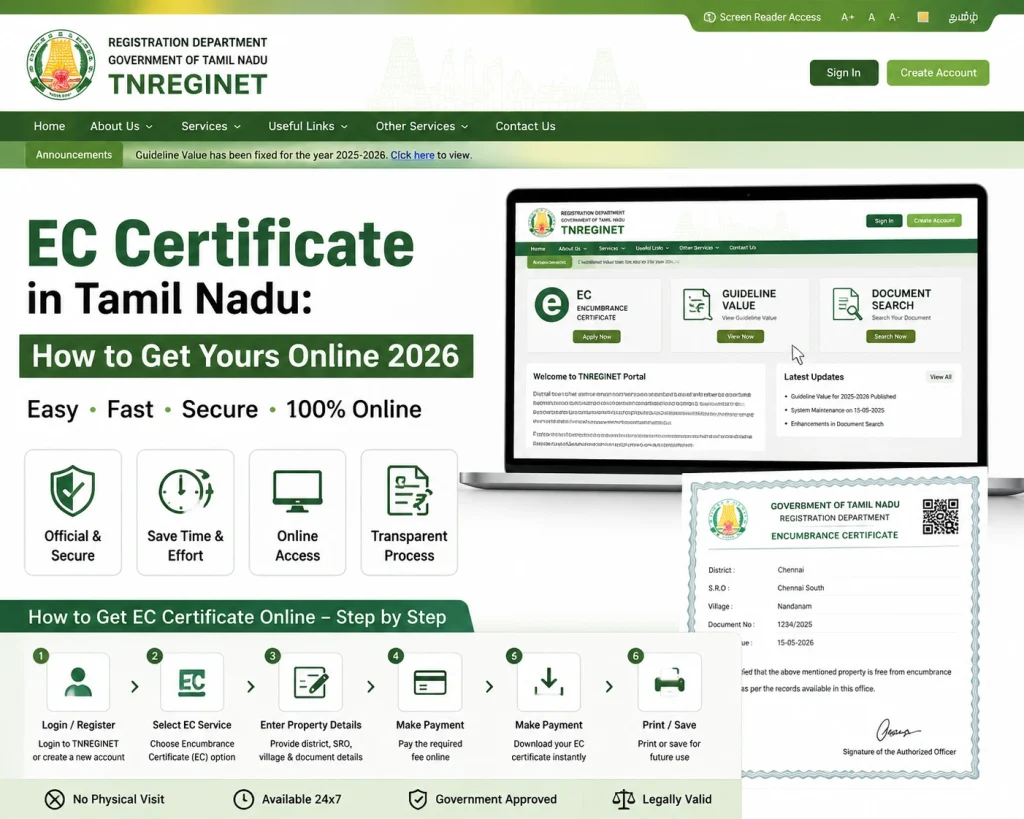
Step by Step Get EC Certificate in Tamil Nadu
Step 1: Gather Required Property Details
nline, make sure you have:
Having these details
Step 2: Log in to TNREGINET
Visit the official TNREGINET portal
Register if you don’t have an account or log in with your credentials
Verify your login via OTP sent to your registered mobile number
A verified login is necessary to access EC services and download certificates.
Step 3: Navigate to the Encumbrance Certificate Section
Once logged in:
This ensures that your search retrieves all relevant transactions.
Step 4: Search and View EC
Click Search / Submit
TNREGINET will display all property transactions within the selected date range
Check that all ownership and transaction details are correct
Tip: If no record appears, verify the survey number, SRO, and date range before retrying.
Step 5: Download Your EC Certificate
Once the EC appears, click Download PDF
Save the document for future use in property transactions, bank loans, or legal matters
Keep a copy on your device or cloud storage
Downloading your EC ensures that you have a legally valid, verifiable document at all times.
Step 6: Correct Any Errors (If Needed)
If the EC has errors such as incorrect owner name or survey number:
Track your request using the reference number
Use the Request Correction option on TNREGINET
Upload supporting documents like the sale deed or registration certificate
Corrected ECs are updated online and can be downloaded once verified.
Tips for Fast EC Download
To make the EC download process faster:
Following these tips can save you time and reduce frustration.
You can also read: Key Benefits of Using TNREGINET for EC and Guideline Value
Checking EC for Older or Subdivided Properties
Properties that are older, inherited, or subdivided may show incomplete ECs if searched incorrectly. To ensure accurate records:
This ensures the EC captures full ownership and encumbrance history.
Table: TNREGINET vs Traditional SRO Visit
| Feature | TNREGINET Portal | Traditional SRO Visit |
|---|---|---|
| EC Access | Online instantly | Physical office visit |
| Date Range | Flexible | Manual request |
| Document Download | Physical copy only | |
| Processing Time | Minutes to hours | Days to weeks |
| Correction Requests | Online submission | In-person submission |
| Convenience | 24/7 access | Limited office hours |
| Legal Validity | Official & recognized | Official & recognized |
Common Mistakes to Avoid
FAQs
Final Words
Getting an EC certificate in Tamil Nadu online is fast, convenient, and secure through TNREGINET. By preparing your property details, following the correct steps, and verifying information before downloading, you can obtain a legally valid Encumbrance Certificate without visiting the office.
For property buyers, sellers, banks, and lawyers, using TNREGINET ensures accuracy, official verification, and hassle-free access to property records. Following the extra steps for fast download and checking older properties ensures your EC is complete and reliable.