How to Resolve EC Search Timeouts and Issues on TNREGINET 2026
When accessing Encumbrance Certificates (EC) on TNREGINET, users sometimes face search timeouts, errors, or incomplete results. These issues can be frustrating, especially if you need the certificate for property transactions, bank loans, or legal verification. This guide explains why these issues happen and how to fix them quickly.
Step by Step Resolve EC Search Timeouts and Issues
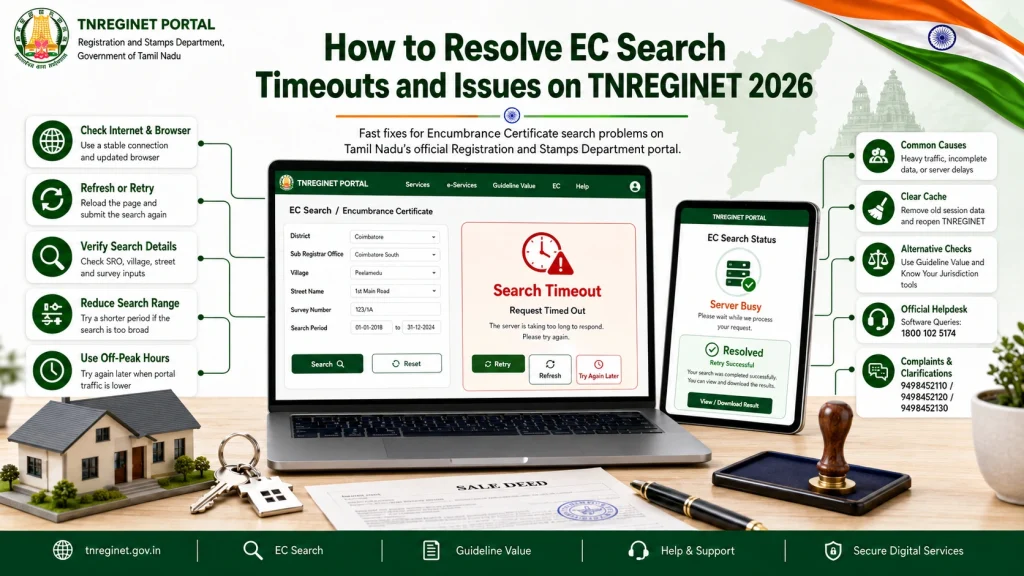
Step 1: Check Your Internet Connection
The most common cause of timeouts is a slow or unstable internet connection.
- Use a stable broadband connection for faster results
- Avoid using mobile data if the signal is weak
- Close unnecessary apps or downloads that may slow your connection
Tip: Even a short network interruption can cause TNREGINET to show “search failed” or timeout errors.
Step 2: Clear Browser Cache and Cookies
Browser cache or cookies can sometimes interfere with TNREGINET:
- Go to your browser settings and clear cache and cookies
- Restart the browser before trying again
- Use updated versions of Chrome, Firefox, or Edge
This simple step often resolves EC search errors immediately.
Step 3: Use Correct Property Details
Incorrect property details are a frequent cause of EC errors:
- Verify district, SRO, and village before searching
- Double-check the survey number and owner name
- Enter the correct date range
Tip: Even a minor typo can result in no records found or incomplete results.
Step 4: Avoid Peak Hours
TNREGINET servers can get overloaded during peak usage times, causing timeouts:
- Avoid searching during morning rush hours or month-end periods
- Try off-peak hours like late morning or afternoon for faster results
This reduces the chance of server delays and search timeouts.
Step 5: Try TNREGINET Mobile App
The TNREGINET mobile app often provides a faster and more stable experience:
- Install the official app on Android or iOS
- Log in with your credentials and use OTP verification
- Download ECs directly on your device
Mobile access can bypass browser issues and reduce search failures.
Step 6: Contact the Sub-Registrar Office (SRO)
If problems persist:
They can verify property records and help with manual EC retrieval
Contact your local SRO and provide the survey number, village, and date range
Sometimes, server issues or delayed updates can only be resolved through the SRO.
Common Causes of EC Search Issues
| Issue | Cause | Solution |
|---|---|---|
| Search timeout | Server overload | Retry during off-peak hours |
| No records found | Incorrect survey number or village | Double-check details |
| Incomplete results | Wrong date range | Adjust start and end dates |
| Browser error | Cache or outdated browser | Clear cache or update browser |
| EC download fails | Server glitch or PDF error | Retry or use mobile app |
You can also read: Understanding EC Value in Property Registrations Update 2026
Additional Tips for Faster EC Search
FAQs
Final Words
EC search timeouts and errors on TNREGINET are usually caused by internet issues, server overload, or incorrect property details. By checking your connection, clearing cache, using correct details, trying off-peak hours, or using the mobile app, you can resolve most issues quickly.
For persistent problems, the Sub-Registrar Office is the ultimate authority for verification. Following these steps ensures you can access your Encumbrance Certificate reliably and efficiently.