Download Multiple ECs from TNREGINET at Once – (Guide 2026)
Downloading Encumbrance Certificates (ECs) from TNREGINET one by one can be time-consuming, especially if you need them for multiple properties or surveys. Fortunately, there are ways to streamline the process so you can download multiple ECs efficiently. This guide explains how it works, step by step, along with troubleshooting tips.
What Is TNREGINET EC
An Encumbrance Certificate (EC) is an official document that shows all registered transactions for a property, such as sale deeds, mortgages, or leases. Banks, legal offices, and buyers use ECs to verify property ownership and confirm there are no pending claims.
TNREGINET allows citizens to view and download ECs online, but by default, it is designed to download one EC at a time. For multiple properties, you need to follow certain steps and tips.
You can also read: Mobile Guide: TNREGINET EC Download 2026 (Latest Update)
Step-by-Step Guide to Download Multiple ECs
While TNREGINET doesn’t officially allow bulk downloads, you can follow these methods:
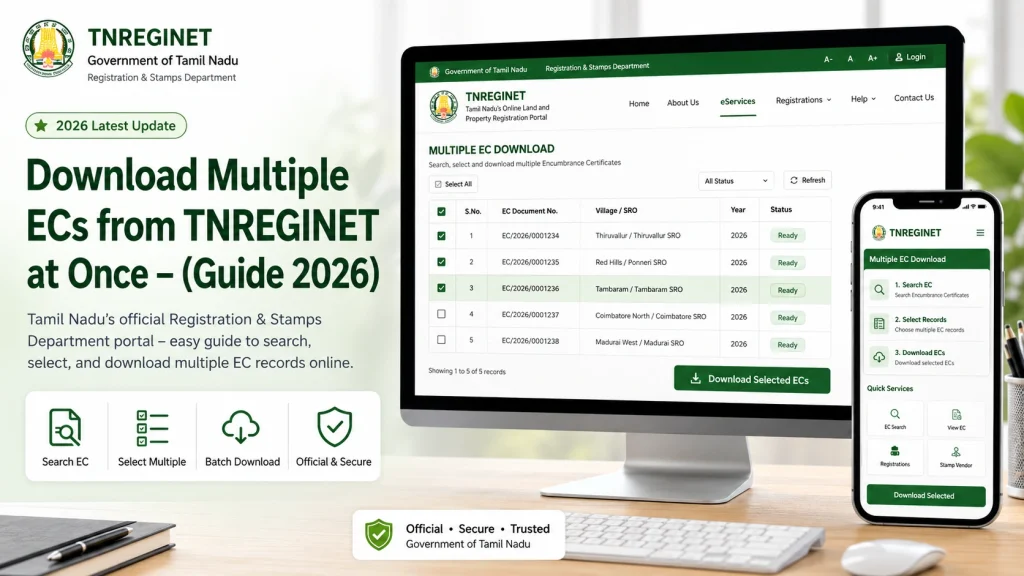
Method 1: Sequential Download with Saved Search
Method 2: Using Browser Automation Tools
If you frequently need multiple ECs, automation tools like browser macros or scripts can help:
Note: Automation should respect TNREGINET’s usage rules. Avoid overloading the server to prevent account blocks.
Common Causes of Download Issues and Troubleshooting
| Issue | Cause | Solution |
|---|---|---|
| PDF not generating | Incorrect property details | Verify District, SRO, survey number, and date range |
| Blank EC PDF | Browser incompatibility or pop-up blocked | Use Chrome/Firefox/Edge and enable pop-ups |
| Session timeout | Taking too long between searches | Refresh portal or log in again |
| Cannot automate downloads | TNREGINET security restrictions | Use small batches and avoid heavy concurrent requests |
| Wrong property details in bulk | Spreadsheet errors | Double-check saved property data before running macro |
Tips for Efficient Bulk EC Downloads
FAQs
Final Words
Downloading multiple ECs from TNREGINET may require patience, but with proper organization and careful use of tools, it becomes manageable. Always verify property details, use compatible browsers, and save documents systematically to avoid errors.
Proper preparation can save hours of manual work and ensure all your ECs are correct and ready for legal, banking, or personal use.