How to Track Your TNREGINET EC Correction Request 2026
If you’ve submitted a correction request for your Encumbrance Certificate (EC) through the TNREGINET portal, you may be wondering how to track its status. Whether it’s a minor correction or an update due to an error, knowing the process of tracking your request can save you time and avoid unnecessary delays.
Here’s a simple and clear guide on how to track your TNREGINET EC correction request and ensure the process moves smoothly.
Understand the EC Correction Process
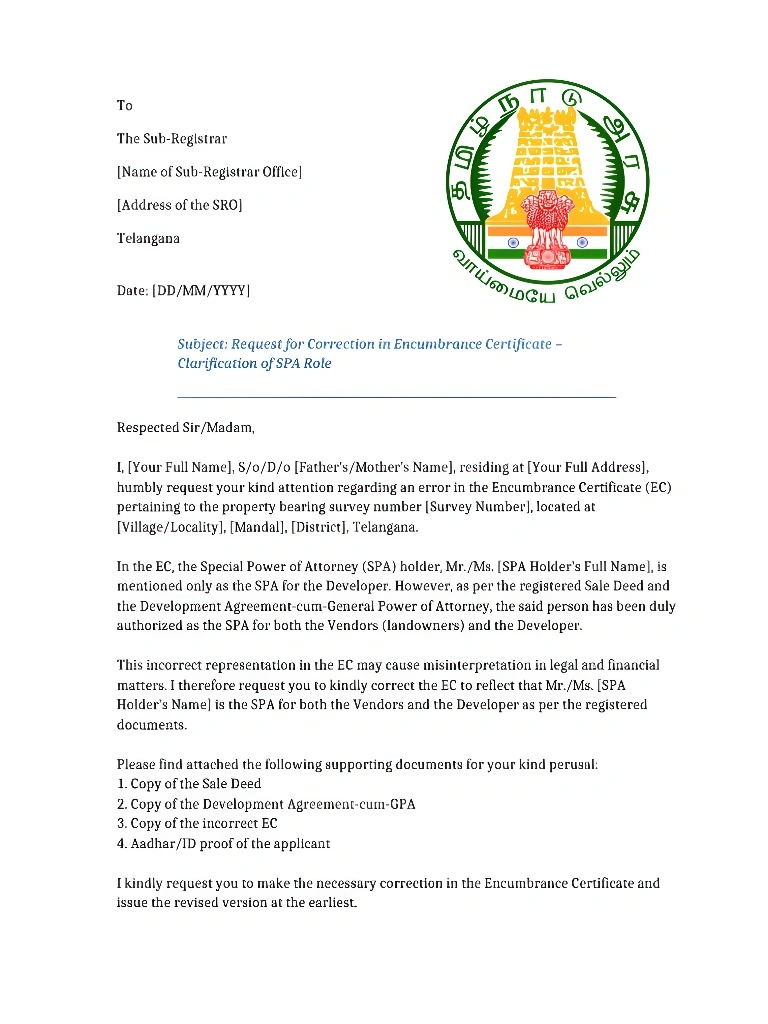
Before diving into tracking your correction request, it’s important to understand how the correction process works. If you notice any errors in your EC, such as incorrect owner names, transaction details, or missing information, you can request a correction through the TNREGINET portal. After submitting your request, it will go through a review process with the relevant authorities at the Sub-Registrar Office (SRO).
You can also read: How to Get a Guideline Value Certificate from TNREGINET 2026
Common EC Correction Issues Include:
How to Submit an EC Correction Request
Before you track your request, you need to have submitted a correction request through the TNREGINET portal. Here’s how:
Login to the TNREGINET Portal:
Go to the official TNREGINET website (tnreginet.gov.in) and log in using your registered credentials.
Navigate to ‘EC Correction’ Section:
In the portal’s E-Services section, find the option for EC correction requests.
Fill Out the Correction Form:
You will need to provide details such as:
Property details (survey number, location, etc.)
Correct details you want to update
Supporting documents (sale deed, proof of ownership, etc.)
Submit the Request:
After entering the necessary information, submit the form. You will receive an acknowledgment number or reference number upon successful submission.
How to Track the Status of Your EC Correction Request
Once your correction request has been submitted, you’ll want to keep an eye on its progress. Here’s how you can track the status:
Step 1: Visit the TNREGINET Portal
Go to the official TNREGINET website at tnreginet.gov.in.
Step 2: Log In to Your Account
Use your credentials to log in to your TNREGINET account.
Step 3: Navigate to ‘Track Request’ Section
Look for the “Track Request” or “Request Status” option in the portal’s E-Services or My Account section. This section allows you to check the status of your previously submitted requests, including EC corrections.
Step 4: Enter Your Request Number
You will be asked to enter the acknowledgment/reference number you received when you submitted your EC correction request. This is the unique identifier for your correction request.
Step 5: View the Status
Once you’ve entered the request number, the portal will display the current status of your EC correction request. The status will typically include:
- Pending: The correction is still being processed.
- Under Review: The Sub-Registrar Office (SRO) is reviewing the details.
- Approved/Completed: The correction has been made successfully.
- Rejected: The correction request was not accepted. In such cases, the portal may provide reasons for rejection.
What to Do if There’s a Delay or Issue?
If you notice that your correction request is taking longer than expected or is stuck at a particular status, here’s what you can do:
Contact the SRO
Visit or Call the Sub-Registrar Office where your EC was processed. They may be able to provide you with more details about the delay or status of the correction request.
Provide them with the acknowledgment number or reference number for quicker assistance.
Recheck the Details You Provided
Ensure that all the details submitted in the correction request were accurate. If there were any missing or incorrect documents, this could cause delays in processing.
Use the Helpdesk
If you’re still having trouble tracking your request or getting updates, you can reach out to the TNREGINET helpdesk for further assistance. They can guide you through the process and help resolve any issues.
Common Issues in EC Correction Requests
Here are some common issues people face when submitting and tracking EC correction requests:
Incorrect information submitted: Double-check your documents and ensure that you’re submitting accurate details for the correction.
Long processing times: Corrections may take time, especially if the records are old or if multiple departments are involved in the verification.
Rejection of request: If your request is rejected, carefully review the reason provided. You may need to resubmit the request with additional supporting documents.
FAQs
Final Words
Tracking your TNREGINET EC correction request is easy and straightforward, especially if you keep your reference number handy and follow the steps above. If you face delays or issues, don’t hesitate to contact the Sub-Registrar Office or use the TNREGINET helpdesk. By staying on top of your request, you can ensure that any errors in your Encumbrance Certificate are resolved quickly, allowing you to proceed with your property transactions smoothly.