Why Does TNREGINET Show “No Records Found”? Reasons Explained
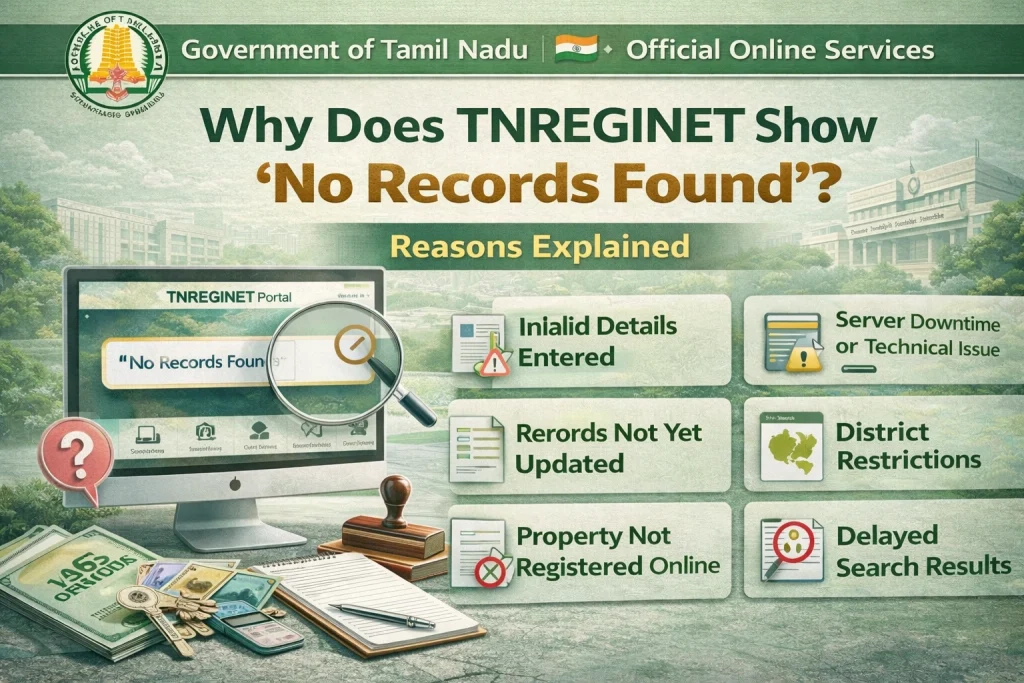
When using the TNREGINET portal to search for an Encumbrance Certificate (EC) or any property-related document, you might come across the message “No Records Found”. This can be frustrating, especially when you’re sure the property exists and has a legal history. But why does this happen? Let’s explore the real reasons why TNREGINET might show “No Records Found” and how you can resolve it.
Incorrect or Incomplete Property Details
One of the most common reasons for the “No Records Found” message is entering incorrect or incomplete property details. TNREGINET relies on specific information like the survey number, document number, and year of registration to retrieve property records.
Possible issues include:
Solution:
Ensure you double-check all property details before entering them in the system. If you’re unsure about any information, contact the local sub-registrar’s office for clarification or check with the property seller/developer.
You can also read: TNREGINET Patta vs EC: Key Differences Explained update 2026
Data Not Yet Updated in TNREGINET System
Sometimes, the property details may not yet be updated in the TNREGINET database, especially if the property was recently registered or if updates are pending from the local sub-registrar’s office.
Possible reasons include:
Solution:
If the property is newly registered, wait a few days or weeks for the system to update. You can also visit the local sub-registrar’s office to verify the status of your property and confirm the EC.
Mismatch in the Property Type or Ownership Details
When searching for EC, ensure that the property type (flat, apartment, land, etc.) and owner details you are entering match what is recorded in the TNREGINET system. Sometimes, properties have been registered under different names, sub-types, or property categories that might not align with what you’re searching for.
Possible issues include:
Solution:
Verify the owner’s name, property type, and survey details with the builder, seller, or local sub-registrar’s office to ensure you’re searching for the correct property type and details.
Errors in the Registration Process
In rare cases, errors during the property registration process can lead to missing records in the TNREGINET system. These errors could be caused by mistakes made by the sub-registrar or administrative issues.
Possible issues include:
Solution:
If you suspect this is the case, you will need to visit the sub-registrar’s office where the property was registered. They can verify whether the registration was processed correctly and help you access the necessary records.
Incorrect Login or Portal Issues
Sometimes, the issue might not lie with the property records but with technical issues on TNREGINET itself. If there’s a problem with the portal or your login credentials, the system may not be able to retrieve the records.
Possible issues include:
Solution:
Log out and log back in to your TNREGINET account. If the problem persists, try again later or contact TNREGINET support for assistance. Make sure your internet connection is stable while accessing the portal.
The Property is Not Registered with TNREGINET
Another reason you might see “No Records Found” is if the property has not been registered with TNREGINET yet. This can happen with unregistered land or properties that are not part of the government’s online registration system.
Possible issues include:
Solution:
Ensure the property is officially registered with the Tamil Nadu Registration Department. If not, you may need to complete the registration process to get the EC. Visit the local sub-registrar’s office for assistance.
Property Not Registered Under the TNREGINET Portal
Some properties might be outside the jurisdiction of TNREGINET if they are not within the specific districts or areas covered by the portal. TNREGINET mainly covers properties in Tamil Nadu, but certain localities might not yet be integrated into the online system.
Possible issues include:
Solution:
Check the district and sub-registrar details of the property. If your property is located in an area not covered by TNREGINET, you may need to visit the local sub-registrar office for the EC.
FAQs
Final Words
While “No Records Found” on TNREGINET can be frustrating, it’s often due to one of the common issues mentioned above. Whether it’s entering incorrect details, delays in data updates, or errors in the registration process, there are ways to resolve these problems.
If you encounter “No Records Found”, take the following actions:
Double-check the property details.
Ensure correct login credentials.
Visit the local sub-registrar’s office for further support.
By taking these steps, you should be able to find the EC or resolve any issues preventing access to property records.