Why Is My TNREGINET EC Search Showing No Results? Easy Fixes
If you’ve been trying to search for your Encumbrance Certificate (EC) on TNREGINET and getting a “No records found” message, it’s understandably frustrating. The TNREGINET portal is a fantastic tool for verifying property ownership and checking legal documents, but sometimes the search doesn’t yield results. There are a few common reasons for this issue, most of which are easy to fix. This article will walk you through what could be causing the issue and how you can solve it in just a few simple steps. Whether it’s due to incorrect search details, technical glitches, or even digitization errors, we’ve got you covered.
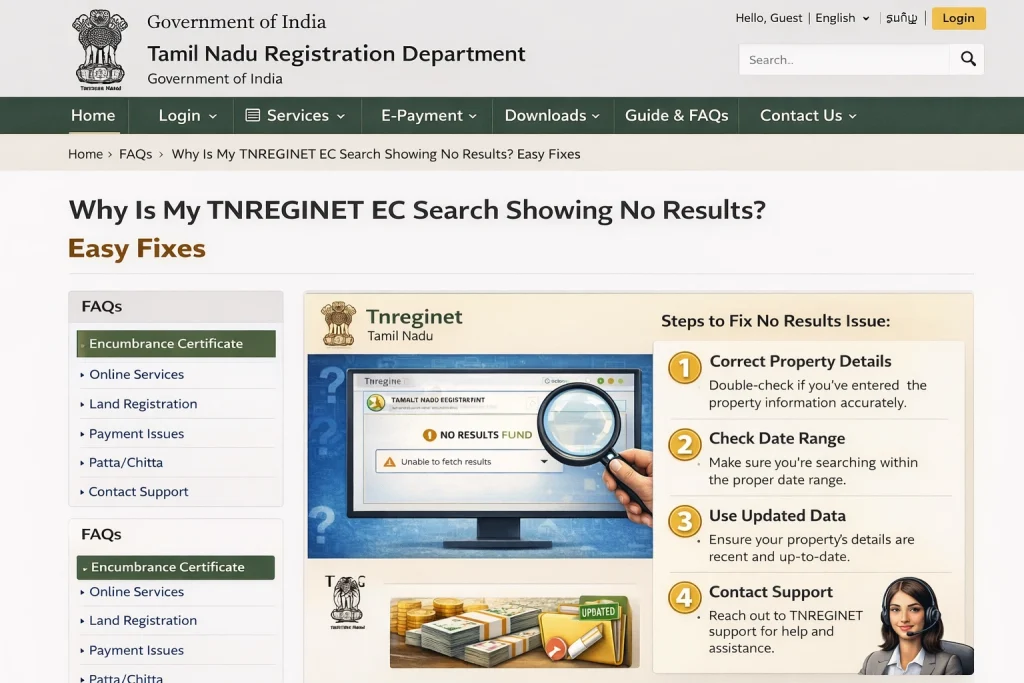
Wrong or Incomplete Search Details
This is the most common reason your EC search fails. On the TNREGINET portal, you must enter the exact details:
Example problem:
Imagine you’re checking your EC for your friend’s house, but you type the wrong survey number. Even if the property exists, the portal won’t show it — just like trying to open a room with the wrong key.
Quick tip:
Double-check every field before hitting Search. One tiny typo can stop the result from showing up.
You can also read:How to Authenticate Your TNREGINET EC for Bank Loans 2026
Wrong Date Range (Period Issue)
TNREGINET only shows EC records for the years you select. If you choose a time range where no transactions happened, the portal will show nothing.
Simple example:
Say your property was registered in 2005, but you searched from 2010–2020. Because no transaction falls in that period, it shows no results — even though the property exists.
Solution:
Choose a wider range like 2000–2025 or “All years” if available.
Old or Undigitized Records
Not all property records were digitized, especially older ones. If your property was registered before digital records started, the portal may not show it.
In that case:
This is like old paper files not being in the computer yet — so the system can’t find them.
Technical Issues or Software Errors
Sometimes the problem isn’t your fault. The system can have glitches. In Tamil Nadu, land record systems sometimes don’t sync all data perfectly, especially if the property changed hands many times.
What you can do:
Mistakes in Property Details
Your EC search uses exact property details. A small mistake like:
can result in no records.
Tip:
Ask the seller or previous owner for the exact survey number and village spelling. These must match official land records.
How to Resolve Guideline Value Issues When Searching for EC
If you find that your EC search doesn’t display property values correctly, it might be linked to guideline value errors. Sometimes the guideline value is outdated or doesn’t match market prices. In this case, TNREGINET won’t show correct EC results because it uses the guideline value to verify transactions.
What to do:
Ensure you are using the latest guideline values for your area
Visit the local sub-registrar office to verify and correct any discrepancies in the record
Checking for Missing or Incomplete Documents
Another possible reason for a “No results found” issue is if there are missing documents in the system. If the necessary supporting documents (like sale deeds or property tax receipts) aren’t properly uploaded, TNREGINET won’t generate the correct EC.
Solution:
Check with the local registrar’s office to make sure all documents are uploaded correctly and up-to-date.
Bonus Quick Tips to Fix EC Search Errors
Use correct SRO: Always pick the right Sub-Registrar Office for your property area
Try both survey number & document number: If one gives nothing, try the other
Check ‘Know Your Jurisdiction’ first: This tells you the correct zone/district/SRO before searching
Expand the year range: Older records may only show up if you widen the period
Clear your browser cache to make sure you’re using the most updated version of the page
FAQs
Final Words
The key to a successful TNREGINET EC search is correct and complete data entry. Make sure the survey number, SRO, and date range are accurate before you start searching. If you continue to face issues, it’s always a good idea to check with your local registrar’s office, especially if your property is older or hasn’t been fully digitized.
Remember, the TNREGINET portal is a powerful tool for property verification, and with the right approach, you’ll be able to get the information you need quickly and easily.