EC PDF vs Digitally Certified Copy: What You Need to Know
If you’ve downloaded your Encumbrance Certificate (EC) from TNREGINET, you may notice two types: a regular PDF and a digitally certified copy. Understanding the difference is crucial, especially if you plan to submit the EC to banks, legal authorities, or for property verification.
What Is a Regular EC PDF?
A regular EC PDF is generated when you perform a basic property search on TNREGINET without logging in, or when previewing an EC online.
Features of a regular PDF:
Limitations:
Tip: Use a regular PDF only for preliminary checks or personal reference.
You can also read: How to Track EC Application Status on TNREGINET Update (2026)
What Is a Digitally Certified EC Copy?
A digitally certified EC is a legally valid copy issued by TNREGINET for official use. It is digitally signed to verify authenticity.
Features of a digitally certified EC:
Tip: Always download a digitally certified EC if you plan to submit it for any official or legal purpose.
Key Differences Between Regular PDF and Certified Copy
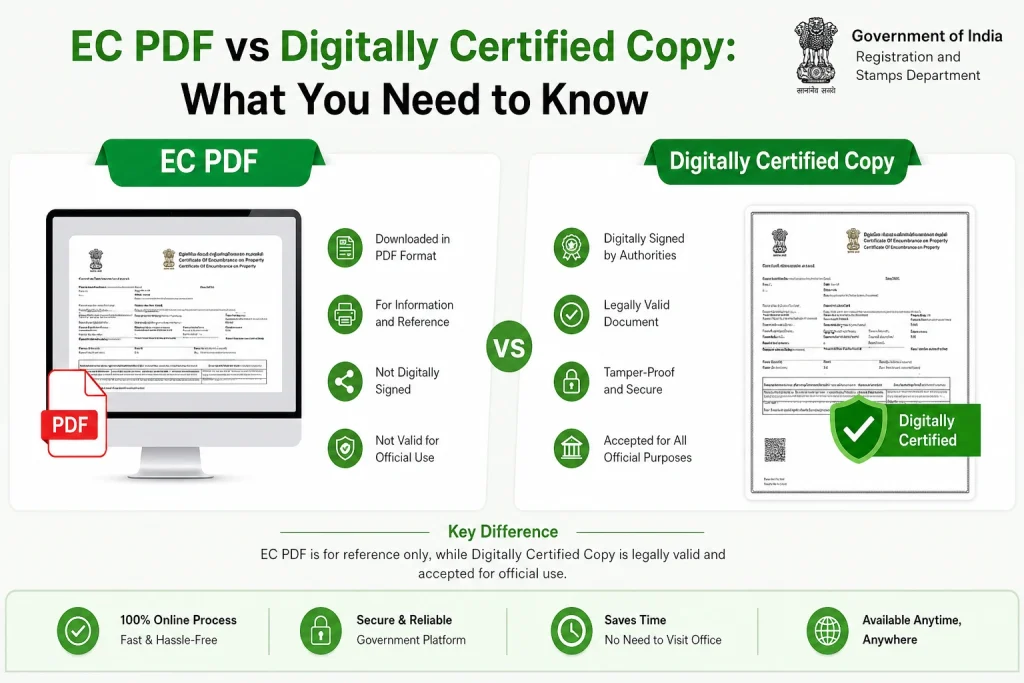
| Feature | Regular PDF | Digitally Certified Copy |
|---|---|---|
| Legal Validity | No | Yes, accepted by banks and authorities |
| Digital Signature | No | Yes |
| Property History | May be limited | Full history (as selected) |
| Use for Bank/Legal | Not allowed | Allowed |
| Issue Tracking | No | Yes, via login account |
| Suitable for Personal Reference | Yes | Yes |
Why Banks and Authorities Require Digitally Certified Copies
Authenticity:
Banks need assurance that the EC is official and tamper-proof.
Comprehensive History:
Certified EC covers all past transactions and owners.
Legal Protection:
Digitally signed EC is recognized in courts and legal procedures.
Avoids Rejection:
Submitting a regular PDF can result in loan delays or rejection.
Example: A bank may reject a home loan application if the EC submitted is just a preview PDF. Submitting a digitally certified copy ensures smooth approval.
How to Download a Digitally Certified EC
Login to TNREGINET using your registered account.
Navigate to Encumbrance Certificate and select the search type (survey number, document number, or plot number).
Enter all property details correctly.
Select the date range covering all transactions you want in the EC.
Click Download Certified Copy — ensure the digital signature is visible.
Save the copy securely for bank or legal submissions.
Tip: Keep multiple copies, one for personal records and one for official use.
Common Mistakes to Avoid
FAQs
Final Words
The difference between a regular EC PDF and a digitally certified copy is critical for property transactions, legal verification, and bank approvals. Always ensure you download a digitally certified, digitally signed EC from your TNREGINET login account when submitting it for any official purpose. Regular PDFs are useful for reference, but they are not legally valid.