How to Fix Missing Transactions in TNREGINET EC Update (2026)
If you’re checking your Encumbrance Certificate (EC) on the TNREGINET portal and you notice some transactions are missing, don’t panic — it’s a common issue. In this guide, I’ll explain why this happens and how you can fix it step by step, in plain language.
What Is Missing Transaction in EC?
An Encumbrance Certificate (EC) shows all property transactions (like sales, mortgages, transfers) recorded in the system for a period you choose. Sometimes, some entries don’t show up — even though they should be there.
This usually happens because of data mismatches or input errors during your search. Let’s walk through easy fixes.
You can also read: Step-by-Step TNREGINET EC Download Guide Latest Update (2026)
Use the Correct Search Details
One of the biggest reasons transactions don’t show up is wrong or incomplete information.
Here’s what must be accurate:
If these don’t match what’s in the system, the portal won’t show the record — even if it exists.
Tip: Always double‑check every field before searching.
Choose a Wider Date Range
Try Both Document & Survey Search
On the TNREGINET portal you can search EC in two ways:
Sometimes one method shows more results than the other.
If one doesn’t show your transaction, try the other before concluding the record is missing.
Fix Typos or Wrong Formats
Even a small typo can stop the system from showing your transaction.
Examples:
Pro Tip: Copy the survey or document number from your actual deed or patta to avoid mistakes.
Older Records May Not Be Digitized
Even though TNREGINET aims to cover records up to 30 years or more, very old documents sometimes aren’t uploaded yet.
If your property is older or the deed was originally offline, the online search might not show all history.
In this case, visit your local Sub‑Registrar Office (SRO) and ask them to verify older records manually.
Technical & Browser Problems
Sometimes the portal may glitch or something in your browser may block it.
Try:
Many users find this fixes “missing entries” that seem to disappear.
What to Do if Your EC Shows Errors
If you believe your EC details have errors (like missing names or incorrect data), the good news is that you can request corrections through the TNREGINET portal. Here’s how to do it:
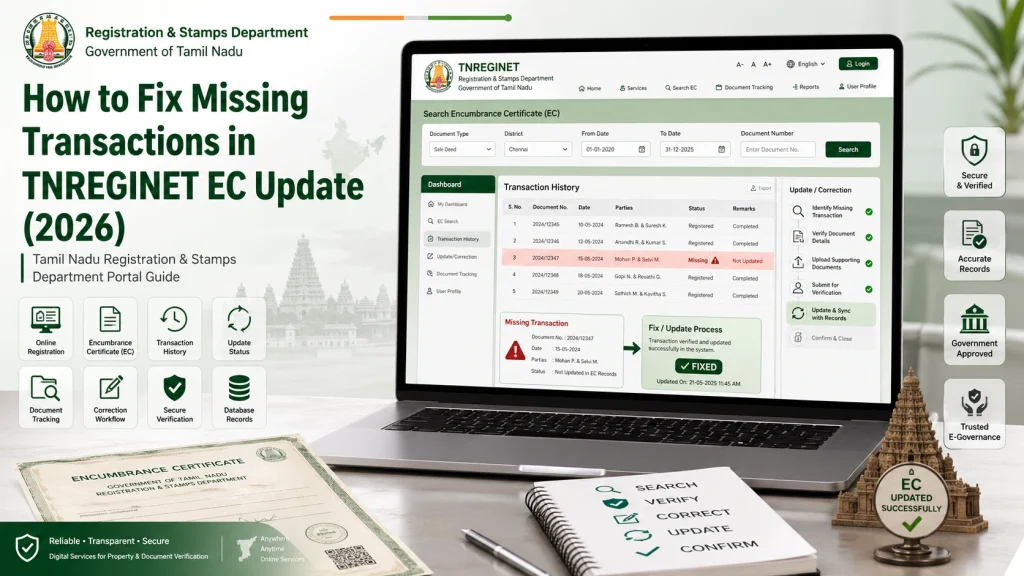
This generates a correction token — keep it safe. The SRO will review and update the record.
Common Issues with EC and How to Avoid Them
While TNREGINET’s EC search is generally reliable, there are still some common pitfalls that people run into:
Incorrect survey numbers:
Always ensure you’re using the right survey number or subdivision.
Missing documents:
Double-check the list of documents you’re entering, as an incorrect entry can lead to missing records.
Delayed updates:
Sometimes, it takes a while for the government to upload records, especially if they were registered offline earlier.
To avoid these issues, always verify that the transaction is accurately reflected before expecting a result.
Quick Troubleshooting Checklist
| Issue | Quick Fix |
|---|---|
| No transactions show | Expand date range |
| Some expected entries missing | Try survey + document search |
| Server glitch | Clear cache / change browser |
| Incorrect search details | Double‑check Zone/District/SRO |
| Older records missing | Visit Sub‑Registrar Office |
| Data wrong in EC | Request correction online |
FAQs
Final Words
Getting missing entries in your TNREGINET EC can be frustrating — but most of the time it’s not a real loss of data. It’s usually due to a small search error or records that aren’t online yet.
Before worrying, try these steps:
Check your details carefully
Use both search methods
Expand the date range
Fix browser issues
Visit the office if needed
By doing this, you’ll almost always get the correct EC results you need — without stress.