TNREGINET Document Verification Tips – Latest Update 2026
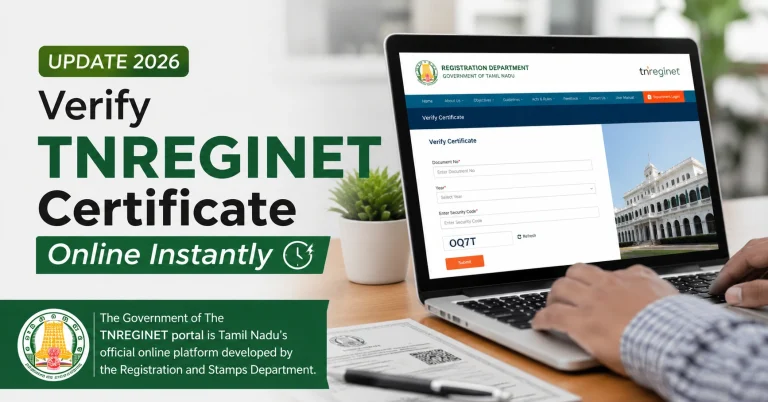
Verifying property documents is one of the most important steps before buying, selling, or mortgaging land or buildings in Tamil Nadu. TNREGINET provides a secure platform to check Encumbrance Certificates (EC), certified copies, sale deeds, and other registration documents online.
Proper verification ensures you avoid legal disputes, fraudulent transactions, and ownership issues. This guide shares key TNREGINET document verification tips for 2026, including step-by-step methods, common mistakes, and tools for accurate checks.

Quick Document Verification Tips
To verify TNREGINET documents accurately:
Following these steps reduces errors and ensures authenticity.
You can also read: TNREGINET Certificate Download Mobile Guide – Latest Update 2026
Why Document Verification Is Important
Document verification protects you from:
Proper verification is crucial for buyers, sellers, banks, and lawyers.
Key TNREGINET Documents to Verify

| Document | Purpose |
|---|---|
| Encumbrance Certificate (EC) | Check registered loans, mortgages, and transactions |
| Certified Copy (Nakal) | Verify authenticity of registered documents |
| Sale Deed | Confirm property ownership |
| Parent Documents | Validate ownership history |
| Patta | Verify land records and ownership |
| Tax Receipts | Check tax compliance |
| Registration Documents | Confirm legal registration and approvals |
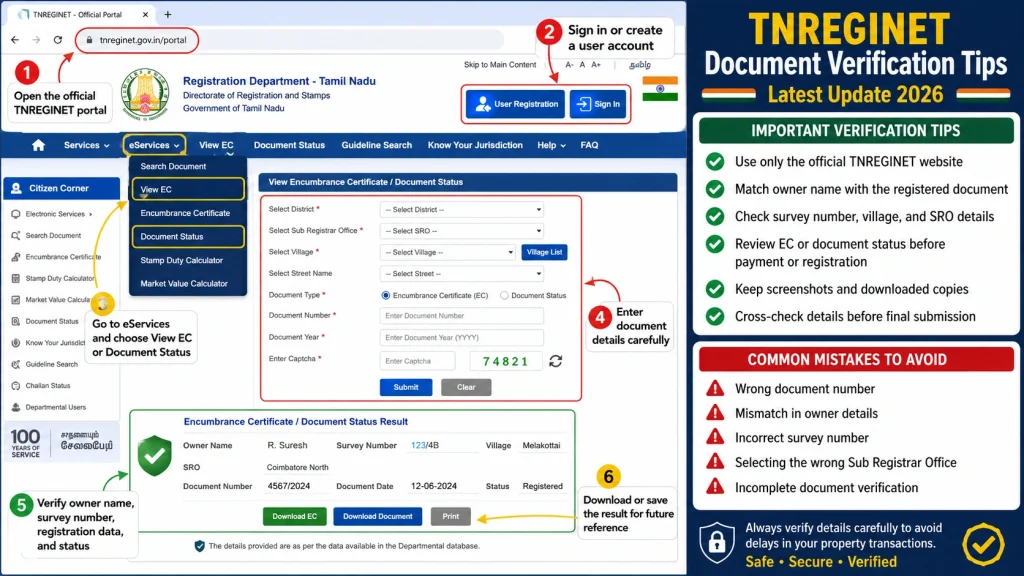
Step-by-Step TNREGINET Document Verification
Step 1: Open TNREGINET
Use a stable internet connection
Open the official portal on desktop or mobile
Step 2: Log In
Use registered username and password
Complete any OTP verification
Step 3: Navigate to E-Services
Select Document Verification or EC Search depending on the certificate type
Step 4: Enter Document Details
Provide:
Step 5: Submit and Check Status
Pending → Waiting for verification
Processing → Under review
Approved/Completed → Verified and valid
Step 6: Download Verification Report
Save as PDF for records
Print if required for banks or legal review
Verification Tips for Accuracy
Double-check SRO and District – Wrong SRO may return Nil EC.
Use the correct survey number – Check patta or sale deed for reference.
Select an appropriate date range – Preferably at least 13–30 years for full property history.
Cross-verify documents – Compare EC with patta, parent deeds, and tax receipts.
Check approval status – Only Approved/Completed certificates are reliable.
Use updated browsers or PDF readers – Avoid blank or corrupt downloads.
Keep backups – Save both digital and printed copies.
Common Mistakes During Verification
| Mistake | How to Avoid |
|---|---|
| Wrong SRO selected | Use TNREGINET SRO Finder for accuracy |
| Short date range | Use full property history |
| Ignoring status | Only download Approved/Completed certificates |
| Skipping cross-verification | Check EC against patta and parent documents |
| Outdated browser/PDF | Update before verification |
How Lawyers Use TNREGINET Verification
Lawyers check TNREGINET documents to:
Providing lawyers with verified ECs, certified copies, and supporting documents makes legal verification faster and more accurate.
Advanced Tips for Property Buyers
Mobile Document Verification
TNREGINET allows mobile verification:
Mobile verification is convenient but desktop is recommended for batch verification or printing.
FAQs
Final Words
TNREGINET document verification in 2026 is essential for safe property transactions. Following the tips in this guide ensures you:
Verify ownership correctly
Avoid disputes and fraud
Confirm registration status
Cross-check multiple documents
Always check SRO, survey numbers, date range, and approval status, and maintain digital and printed records for legal and banking purposes. Proper verification protects buyers, sellers, and financial institutions in Tamil Nadu.