Why Some TNREGINET EC Records Show Different Values 2026
If you’ve ever checked your TNREGINET Encumbrance Certificate (EC) online and saw different values or mismatches, you’re not alone. Many people run into this and get confused. Let’s break it down in simple terms and give you quick tips to fix or understand it.
What Is an EC Anyway?
In Tamil Nadu, the Encumbrance Certificate (EC) shows the history of registered property transactions — like sales, mortgages, or liens — for a specific period. If there are no encumbrances (legal or financial claims) in that period, you might see a nil‑encumbrance or no records.
You can also read:TNREGINET: How to Get a Certified EC for Legal Use 2026
Why Values Might Look Different
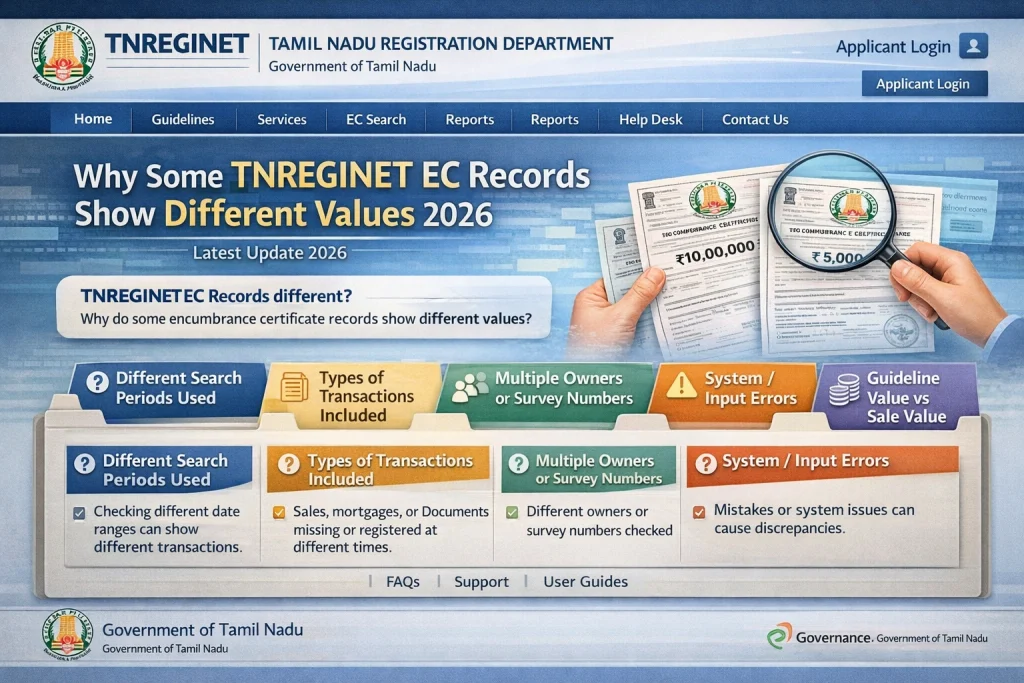
Here are the main reasons the numbers or values don’t always match what you expect:
Different Time Periods You Selected
EC only shows records for the start and end dates you chose.
If you change that range even slightly, the transactions it shows (and their values) will change.
This is super common because many people check different date ranges and compare.
Tip: Always record the dates you searched when comparing later.
Only Registered Transactions Are Included
TNREGINET only has digitised records (about up to 30 years) — older ones may not be shown.
Sometimes an earlier sale or mortgage isn’t included because it wasn’t registered online back then.
Tip: If you suspect an older document, go to the Sub‑Registrar’s Office and ask them to check physical records.
Mismatch With Other Property Docs
EC values can look different from what’s on your sale deed, Patta, or Chitta.
That’s because those are different types of records — EC shows registered legal transactions only.
Tip: Always compare EC with your sale deed and Patta instead of judge based on one document alone.
Different Search Methods (EC vs Document‑Wise)
TNREGINET lets you search in a few different ways:
- EC search by property details (name, survey number, dates)
- Document‑wise search (enter specific document number and year)
Depending on which way you pick, you might see different outputs or values.
Human Errors in Data Entry
Sometimes the original registration data had mistakes — like wrong survey numbers, misspelled names, or incorrect dates. That can cause EC values to appear different or inconsistent.
Tip: If this happens, you can request a correction through the TNREGINET portal or by visiting the Sub‑Registrar’s Office. Always carry your original documents.
Free EC (View) vs Paid / Certified EC
There’s a difference between:
- View EC — a quick, free look to check records
- Paid / Certified EC — the official legal copy
People often compare them and see differences. The paid copy may include more details or line items.
How to Ensure Accurate EC Records?
If you want to avoid issues with your EC record or ensure it matches other documents, here’s what you should do:
Check Your Dates: Make sure that the date range for your EC matches the transaction period you are looking for.
Use the Correct Search Method: If you need specific transaction details, use the Document‑wise search option instead of the general EC search.
Cross‑Verify with Other Documents: Always check your Sale Deed, Patta, or Chitta for a full view of your property details. The EC may not show everything.
Request a Correction: If there’s an error in the EC, such as a wrong name or document, go to the Sub‑Registrar’s Office to request corrections.
Differences Between Guideline Value and EC: What to Know
If you’re confused between Guideline Value and EC, here’s a quick breakdown:
Guideline Value: Refers to the minimum value at which property is assessed for taxation. This is set by the government and can differ from actual market price.
Encumbrance Certificate (EC): Shows the history of registered transactions (sales, mortgages) for a specific property.
Both values are important but serve different purposes. Sometimes, discrepancies may arise due to varying valuation systems, but you can usually resolve this by consulting a property lawyer or a local registrar.
FAQs
Final Words
EC values can seem inconsistent for a few reasons — date range, registration status, search type, or simple human errors. The system works most of the time, but context matters. By understanding how TNREGINET shows data and checking the right way, you’ll avoid confusion and make smart decisions when buying or selling property.
Remember, cross-checking documents and ensuring you use the correct search method will save you from unnecessary confusion. Happy property hunting!