Reset TNREGINET Login OTP Failure Fix (Easy Guide 2026)
If you are trying to log in to TNREGINET but the OTP is not arriving, don’t worry. This is one of the most common problems users face on the portal.
Sometimes the OTP comes late. In other cases, the website shows an error, the mobile number is outdated, or the browser blocks the request.
This guide explains simple ways to fix the TNREGINET OTP failure issue step by step.
What Is the TNREGINET OTP Problem?
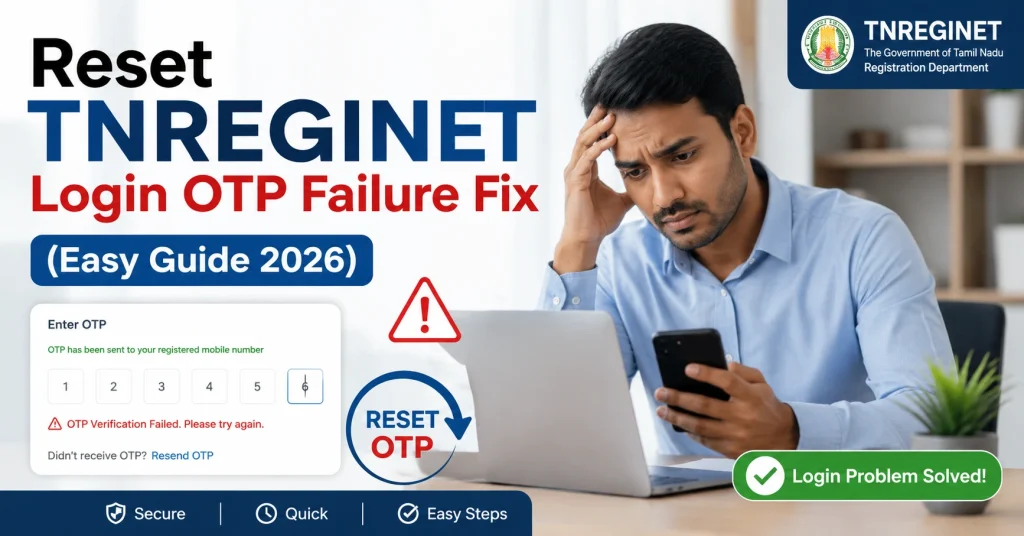
The OTP problem happens when the TNREGINET portal does not send a verification code to your mobile number or email during login, password reset, or registration.
Users usually see problems like:
Most issues can be fixed in a few minutes.
You can also read: TNREGINET Certificate Re-download Guide Update 2026
Quick Fix for TNREGINET OTP Failure
Try these quick steps first:
Many users solve the problem after clearing browser cache and retrying later.
Why TNREGINET OTP Is Not Coming
Here are the most common reasons.
Weak Mobile Network
Poor signal can delay SMS delivery.
Move to an area with better network coverage and request the OTP again.
Server Busy Issue
TNREGINET servers may become slow during peak hours.
This usually happens in the morning, lunch time, or near registration deadlines.
Try again after some time.
Wrong Mobile Number
The OTP only goes to the registered number linked to your TNREGINET account.
If your old number is inactive, you may not receive the OTP.
Browser Problems
Old cookies or browser extensions may block login requests.
Using Incognito Mode often helps.
Multiple OTP Attempts
If you request OTP many times quickly, the system may temporarily block new requests.
Wait at least 15 minutes before retrying.
How to Reset TNREGINET Login Password Without OTP
If OTP is still not working, follow these steps.
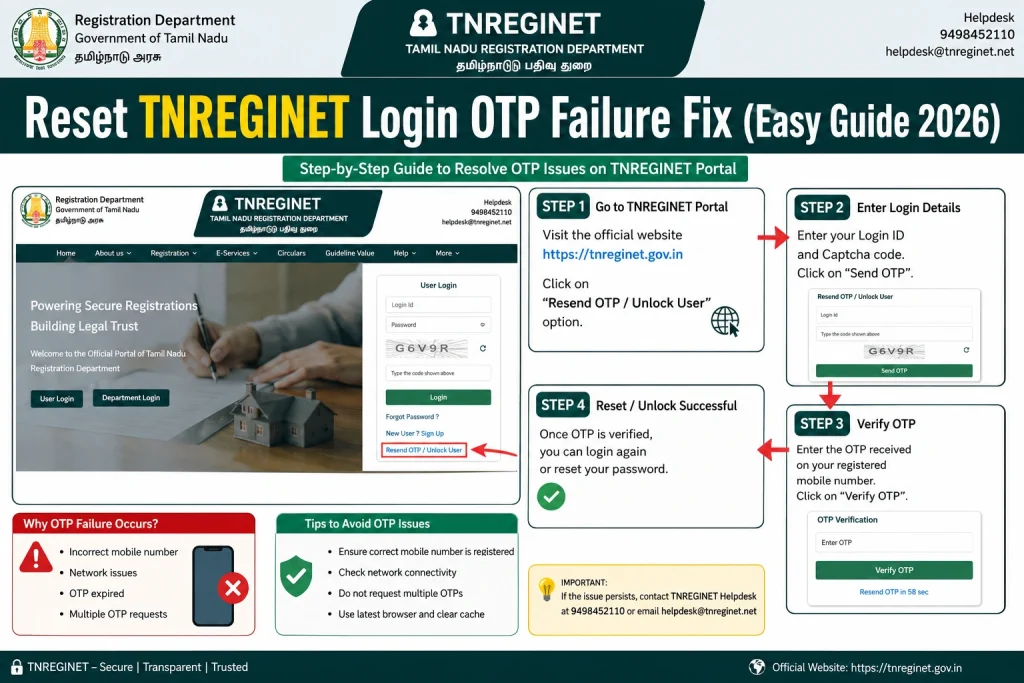
Step 1: Open TNREGINET Portal
Visit the official TNREGINET login page.
Step 2: Click “Forgot Password”
Enter your username or registered email ID.
Step 3: Request Password Reset
The system will try sending an OTP to your registered mobile number or email.
Step 4: Check Spam or Promotions Folder
If OTP is sent through email, check:
- Spam folder
- Promotions tab
- Updates folder
Many users miss the OTP because it lands there.
Step 5: Retry After Few Minutes
Sometimes OTP delivery is delayed because of server load.
Wait 5 minutes before clicking resend OTP.
Best Browser Settings for TNREGINET
For smoother login:
Avoid opening multiple TNREGINET tabs together.
TNREGINET OTP Not Working on Mobile?
If the portal is not working properly on your phone:
Sometimes Android SMS filters also block OTP messages.
Check blocked SMS folders.
TNREGINET Invalid OTP Error Fix
If you receive “Invalid OTP”:
OTP codes expire quickly for security reasons.
TNREGINET Login Tips That Actually Help
Here are some useful tips many users ignore:
Try During Night Hours
The portal is usually faster late at night or early morning.
Keep Only One Browser Tab Open
Multiple tabs may confuse the session.
Save Login Details Safely
Write down your username and registered mobile number somewhere secure.
Avoid Public Wi-Fi
Public internet networks sometimes block secure verification requests.
When to Contact TNREGINET Support
Contact support if:
Keep these details ready before contacting support:
FAQs
Final Words
TNREGINET OTP issues are frustrating, but most of them are temporary. In many cases, the problem is caused by browser cache, server traffic, or repeated OTP requests.
Try the simple fixes in this guide one by one. Usually, the login starts working again within a few minutes.
If the issue continues, contact TNREGINET support with your account details and screenshots for faster help.