How to Resolve Guideline Value Discrepancies on TNREGINET
Guideline Value is a government-determined minimum value for properties, used as a base for calculating stamp duty and registration charges in Tamil Nadu. The value is set by the government and varies across regions, but sometimes, discrepancies arise when the guideline value listed on TNREGINET doesn’t align with the market value or the actual transaction value.
If you’re facing discrepancies, don’t worry. This guide will walk you through how to identify and resolve these discrepancies on TNREGINET.
Common Causes of Guideline Value Discrepancies
Changes in Market Conditions
Problem: Guideline values may not reflect sudden shifts in the market, especially in rapidly growing areas. As a result, the guideline value may seem outdated compared to the prevailing market value.
Solution: Government periodically revises guideline values to match market conditions. However, these updates may not happen instantly. If you believe the guideline value is outdated, you can check the local registry office for updates or submit a request for a review.
Differences Between Urban and Rural Areas
Problem: The guideline value varies between urban and rural areas. You might see discrepancies if you compare the guideline values of properties in different areas.
Solution: Always verify that you are checking the guideline value for the correct locality, and understand that urban areas tend to have higher guideline values compared to rural areas.
Property Type and Zoning Issues
Problem: Properties might have different guideline values based on their type (residential, commercial, agricultural, etc.) and zoning regulations. These variations could cause discrepancies when comparing values.
Solution: Ensure that the property type and zoning you are checking on TNREGINET matches your property. A residential property may have a different guideline value compared to a commercial one.
Incorrect Property Data Entry
Problem: Errors in the property details entered on TNREGINET, such as incorrect survey number, district, or other identification data, can lead to incorrect guideline values being displayed.
Solution: Double-check that the property details you enter on TNREGINET are accurate. Mistyped survey numbers or districts can show incorrect guideline values.
Technical Issues with TNREGINET
Problem: Sometimes, technical glitches can cause discrepancies in the data shown on TNREGINET, including guideline values.
Solution: If you encounter unexpected discrepancies, try clearing your browser’s cache or use a different browser. If the issue persists, contact TNREGINET support for help.
You can also read:Why Some TNREGINET EC Records Show Different Values 2026
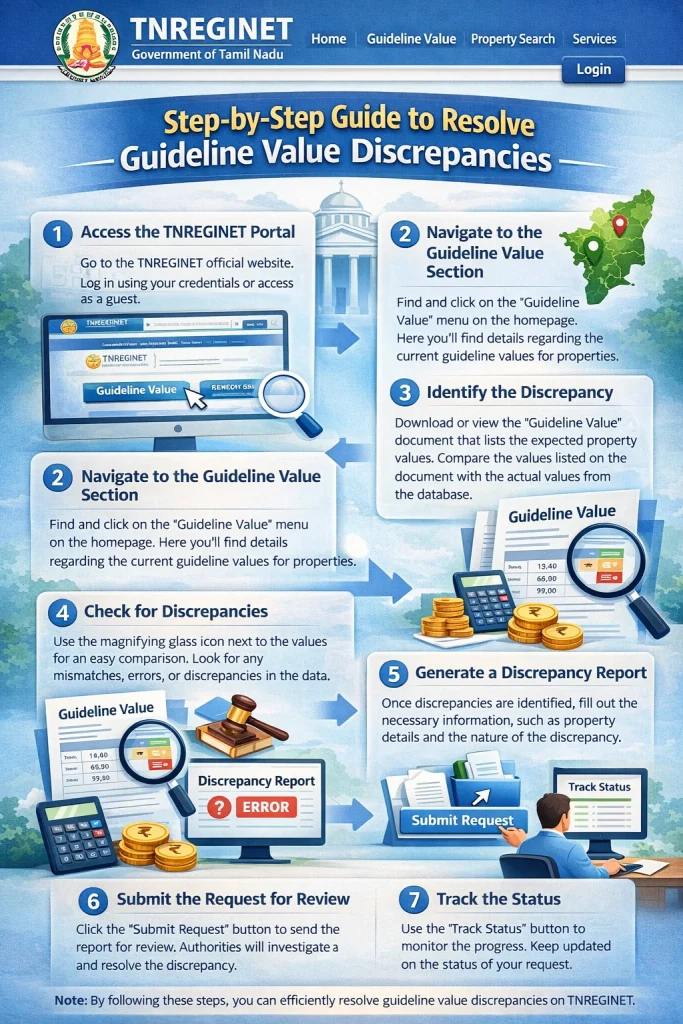
Step-by-Step Guide to Resolve Guideline Value Discrepancies
Step 1: Double-Check the Property Details
Before jumping to conclusions, ensure the property details you’ve entered (such as district, sub‑registrar office, survey number, and property type) are correct. If the entered details are incorrect, TNREGINET might show the wrong guideline value.
Tip: Make sure to check the official documents like the Sale Deed, Patta, or Chitta to ensure accuracy.
Step 2: Compare with Market Value
If you feel the guideline value is outdated, compare it with the market value of similar properties in the same area. Market research tools, local real estate agents, or property websites can provide a more accurate current market value.
Tip: Keep in mind that guideline values are not always updated as quickly as market prices.
Step 3: Check for Recent Updates on TNREGINET
The government periodically revises guideline values, especially in high-demand areas. Check if there have been any recent updates to the guideline value in your area. TNREGINET usually provides information on the last revision date.
Tip: If updates are not visible, contact your local Sub-Registrar office to inquire about any upcoming or recent guideline value revisions.
Step 4: Request a Review or Correction
If you believe the guideline value shown is incorrect, you can request a review or correction at the Sub‑Registrar’s Office. In some cases, you may need to submit an official request for reassessment or review of the guideline value in your area.
To initiate this process:
Contact your Sub-Registrar Office directly with your property details.
Provide supporting documents to justify the need for a revision (e.g., market price trends, sales data from similar properties).
Step 5: Contact TNREGINET Support
If the discrepancy is not resolved through manual checks or local office inquiries, you can reach out to TNREGINET Support. They can help investigate any system errors or discrepancies in the portal’s data.
Tip: Always note down your transaction details and property identification to help the support team quickly address your issue.
FAQs
Final Words
Guideline value discrepancies on TNREGINET can be frustrating, but they are not uncommon. By carefully verifying your property details, checking market trends, and following the necessary steps to request a review, you can resolve most issues. Always stay updated with the latest changes to ensure the accuracy of your property’s guideline value.
If you’re still facing challenges, don’t hesitate to contact TNREGINET support or visit your local Sub-Registrar Office for further assistance.