Why Does Your 2026 TNREGINET EC Show Blank Results?
If you’re trying to access the Encumbrance Certificate (EC) on TNREGINET and it shows blank results, it can be quite frustrating, especially if you are certain that the property details are correct. This issue typically arises due to mismatched data or incomplete records. In this article, we’ll explore the most common reasons why TNREGINET might show blank EC results and how to fix them.
Common Reasons Why TNREGINET EC Shows Blank Results
Incorrect Property Details
One of the most common reasons for blank results is entering incorrect or incomplete property details. If any of the following details don’t match the official records, TNREGINET might not find the EC:
- Survey Number
- Sub-Registrar Office (SRO)
- District and Zone
- Document Number
- Transaction Dates
If any one of these details is incorrect or slightly off, the portal might not be able to pull the right records. Double-check the information you entered and ensure it matches exactly with the documents you have.
Data Not Updated in TNREGINET System
Sometimes, the property data might not yet be updated in the TNREGINET system. This can happen if the property has been recently registered or if there are delays in uploading new records into the database.
EC Available Only for Certain Dates
TNREGINET allows you to search for EC within a specific time frame. If you try to search for an EC within a narrow date range that doesn’t include the actual transaction, the search may show blank results.
For example, if the transaction took place years ago, but you are only searching for EC from the last year, the records won’t show up. You may need to expand the search date range to include a broader time period.
EC Data Missing for Certain Property Types
Some properties, especially those that are agricultural or in rural areas, might not have their EC records fully digitized or available on TNREGINET. The system might not be able to locate the EC for such properties, especially if the records are in physical form at the local Sub-Registrar Office (SRO).
If this is the case, you may need to visit the Sub-Registrar’s office in person to obtain the EC.
Incorrect Sub-Registrar Office (SRO) Selection
Another reason for blank results could be selecting the wrong Sub-Registrar Office (SRO) during your EC search. Property records are managed by specific SROs, and choosing the wrong one can lead to no results being shown.
Verify the correct SRO for your property, which is usually mentioned in your property documents. If you’re not sure, check the local government records or consult with a property professional.
You can also read: TNREGINET EC Search: Fix Session Expired Errors Update 2026
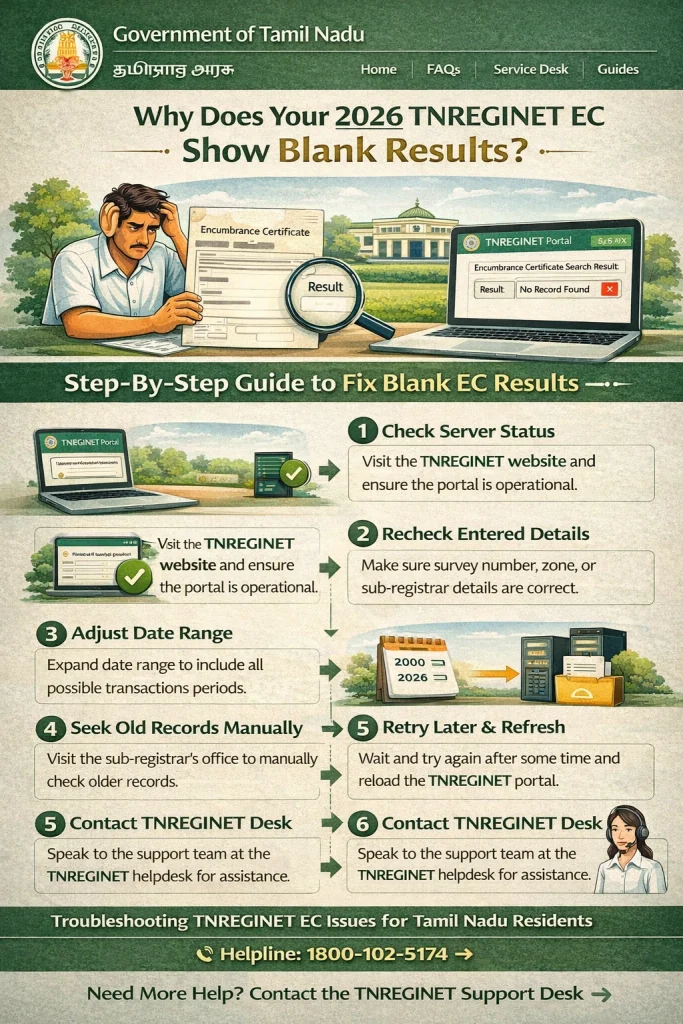
How to Fix the Issue of Blank EC Results
Double-Check Property Details
Start by ensuring that all the property details you’ve entered — including survey number, sub-registrar office, and dates — are accurate. Cross-check the details with official documents such as the sale deed, property tax receipt, or other relevant records. Even a small typo can prevent TNREGINET from locating the correct EC.
Use a Wider Date Range
If you’re searching for EC within a narrow timeframe, try widening the date range. For instance, set the start date as far back as 1970 and the end date as today. This increases the chances of finding the EC, especially if the property’s transaction is older than your selected date range.
Search for Both Survey Number and Document Number
If the survey number search returns blank results, try switching to a document-wise search using the document number (sale deed or other registration documents). Sometimes, the system will return results under document search instead of the survey number.
Contact the Sub-Registrar Office
If you still can’t find the EC, it’s possible that the property data has not yet been updated in the TNREGINET system or the records may not be available online. In this case, you can contact or visit the Sub-Registrar Office where the property was registered and request a copy of the EC.
Wait for System Updates
If the EC is for a recently registered property, it may take some time for the system to update. TNREGINET periodically updates its records, so if you cannot find the EC, it may be a case of the records not being uploaded yet.
FAQs
Final Words
If your TNREGINET EC search shows blank results, it’s usually due to inaccurate property details, an outdated database, or missing records for certain property types. By double-checking your search criteria, expanding the date range, and using different search methods, you can often find the EC you need. If the issue persists, visiting the Sub-Registrar Office in person might be the best option.
With these simple steps, you’ll be back on track and able to access your Encumbrance Certificate with ease.