Understanding the Documents Needed for EC on TNREGINET 2026
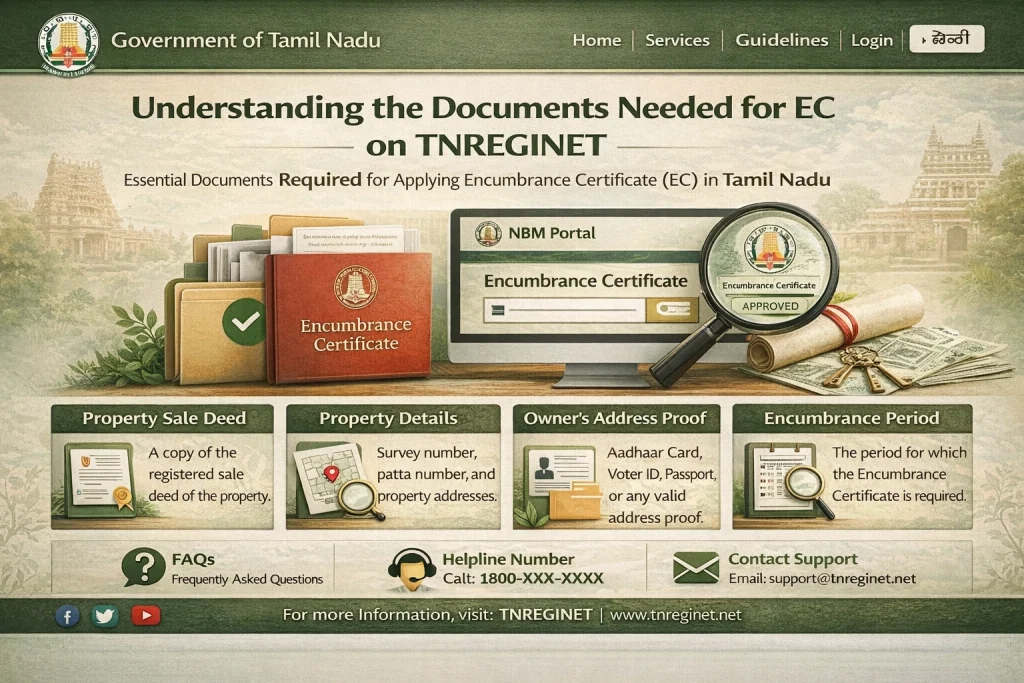
When you’re trying to obtain the Encumbrance Certificate (EC) on the TNREGINET portal, you’ll need to provide certain property details and documents. The EC is an essential legal document that confirms whether a property has any financial liabilities, like loans or mortgages, attached to it. In this article, we’ll walk you through the key documents and information needed to access the EC on the TNREGINET portal.
Key Documents Needed for EC on TNREGINET
Survey Number
The Survey Number is one of the most critical details required for searching the Encumbrance Certificate (EC). This number identifies a specific piece of land and is usually mentioned in the property records. It’s important that you enter the correct survey number as shown in the official documents.
You can typically find the survey number in:
Property Tax Receipts
Sale Deed
Land Records
Document Number or Sale Deed Number
Another important detail for EC search is the Document Number, which is usually the sale deed number or registration number. This number identifies the specific transaction or deed registered with the Sub-Registrar Office (SRO).
You’ll find the document number in:
- Sale Deeds
- Agreement to Sell
- Gift Deeds
Having the correct document number is essential because it links the property to its legal registration.
Sub-Registrar Office (SRO)
The Sub-Registrar Office (SRO) is responsible for maintaining property records, including ECs. When using the TNREGINET portal, you’ll need to select the correct SRO where the property was registered.
You can find the SRO listed in your:
- Sale Deed
- Registration Certificate
- Property Records
Choosing the correct Sub-Registrar Office is crucial because it ensures that the search pulls up the relevant records from the right jurisdiction.
District and Zone Details
In addition to the survey number and document number, you’ll need to provide district and zone information when searching for ECs on TNREGINET. The district and zone help narrow down the search to a specific area, making it easier to find the correct records.
The district and zone details can be found in:
Property Sale Documents
Property Tax Records
Transaction Date (Start and End Date)
When requesting an EC, you may need to specify the start and end dates for the transaction period you want the certificate for. This helps narrow down the records, especially when you’re looking for transactions within a certain time frame.
For example, if you want to check if there are any encumbrances from the year 2015 to 2020, you would enter those years as your date range.
You can determine the relevant transaction dates from:
Loan Documents (if encumbrance is related to a loan)
Sale Deed (the date when the property was bought/sold)
You can also read: Why Does Your 2026 TNREGINET EC Show Blank Results?
How to Prepare the Documents for EC Search
Ensure Correct Details
Before starting your EC search on TNREGINET, make sure you have the correct and complete property details. Check your documents carefully to ensure you have the right survey number, sale deed number, and dates.
Digitize Physical Documents
If you have physical copies of your property documents, make sure to digitize them (scan or take clear photos) for easier access while using TNREGINET. This will help you ensure that the details are accurate when inputting them into the portal.
Verify Details with the Local SRO
If you’re unsure about any of the property details, such as the survey number or document number, visit the local Sub-Registrar Office for clarification. The SRO will have the most accurate and up-to-date records for your property.
Common Problems When Entering Documents for EC Search
Mismatched Survey Number
If the survey number you enter doesn’t match the one registered in government records, TNREGINET won’t be able to retrieve the correct EC. Double-check the survey number on your documents and try again.
Incorrect Document Number
If the document number (sale deed or registration number) is entered incorrectly, it will result in no records being found. Ensure you’ve entered the exact document number and cross-reference it with your sale deed or registered documents.
Wrong Sub-Registrar Office
Entering the wrong Sub-Registrar Office (SRO) can lead to no results because the records for the property will not match the jurisdiction. Make sure you’re selecting the correct SRO based on where the property was registered.
FAQs
Final Words
Having the correct documents and information is crucial for a smooth search process on TNREGINET when requesting the Encumbrance Certificate (EC). Ensure that you have accurate details like the survey number, document number, and Sub-Registrar Office. If you encounter any issues, don’t hesitate to consult with the local Sub-Registrar Office for help.
By keeping your property documents organized and up-to-date, you can easily access important legal records like the Encumbrance Certificate through TNREGINET.