How to Fix Guideline Value Errors on TNREGINET Update 2026
If you’ve noticed an error in the Guideline Value of your property on TNREGINET, you may be wondering how to correct it. Errors in the Guideline Value can affect property transactions, including stamp duty calculations and property registration. Whether it’s an issue with the location, property type, or the value itself, it’s important to address these errors promptly.
Here’s a simple guide to help you fix Guideline Value errors on TNREGINET and ensure your property details are accurate for legal and financial purposes.
Common Errors in Guideline Value
Before diving into how to fix the error, it’s important to understand what common errors may appear:
Incorrect Property Location: Sometimes the survey number or area details entered may be incorrect, leading to a mismatch in the Guideline Value.
Wrong Property Type: Selecting the wrong property category (e.g., residential instead of commercial) can cause the Guideline Value to be inaccurate.
Outdated Value: In some cases, older properties might show outdated Guideline Values that don’t reflect the current market trends or updates made by the government.
Misidentified Survey Number: The survey number might be wrongly mapped to a different area or property, causing a mismatch in the value.
Error in the Area Unit or Zone: Sometimes, discrepancies arise from incorrectly selecting the area unit (e.g., square feet vs. square yards) or sub-district zone.
Steps to Fix Guideline Value Errors on TNREGINET
If you’ve identified an error in your Guideline Value, follow these steps to fix it.
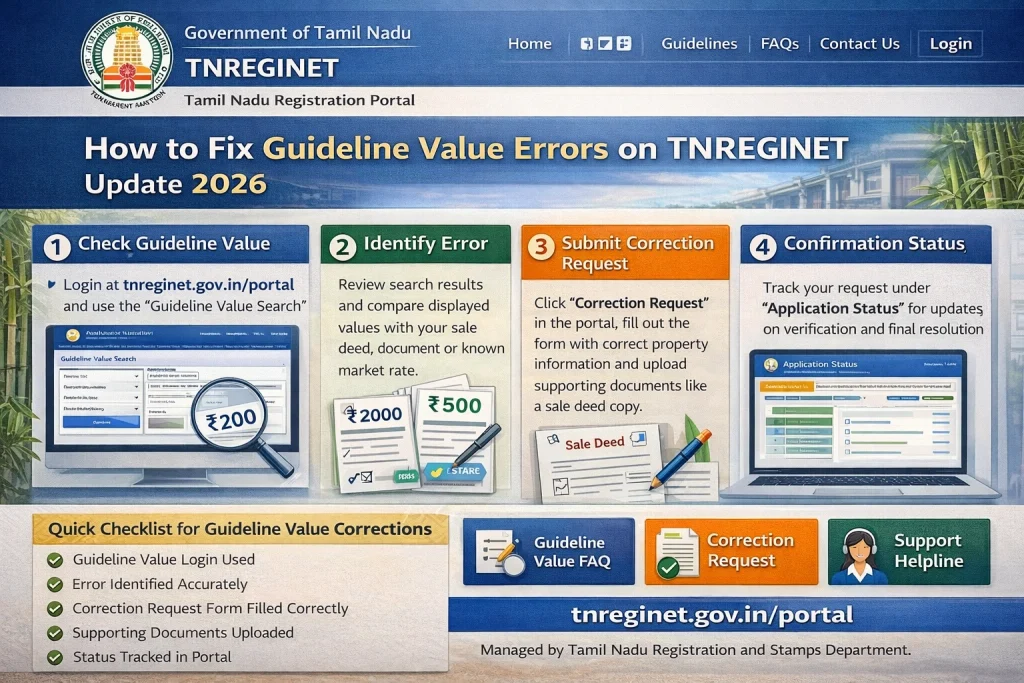
Step 1: Verify the Property Details
Before taking corrective action, double-check the survey number, property type, and location details. Ensure that the information provided is accurate. You can cross-check these details from the original sale deed or property documents.
Step 2: Visit the TNREGINET Portal
Go to the official TNREGINET portal at tnreginet.gov.in.
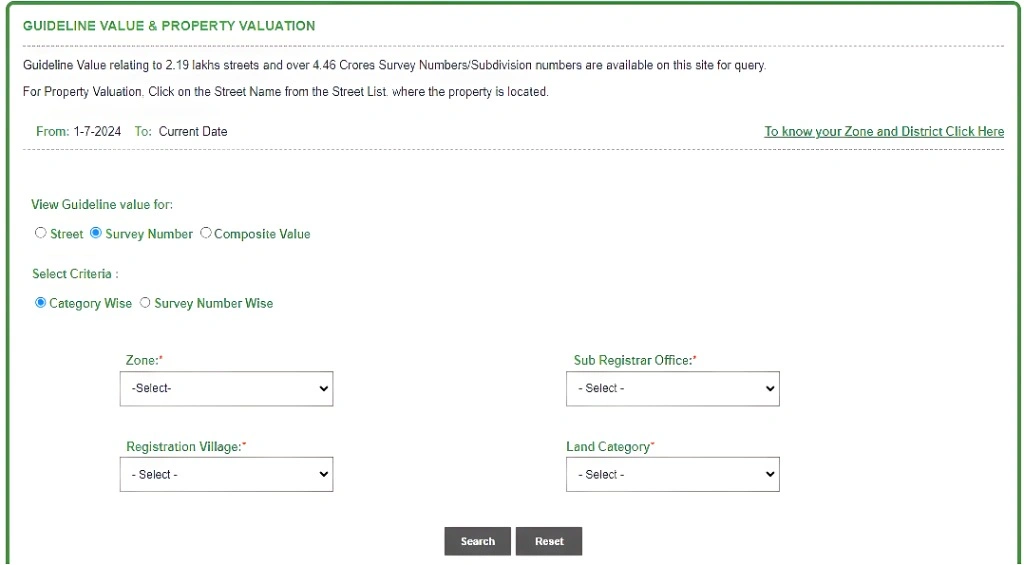
Search for Your Property: Enter the survey number, district, taluk, and other details to search for your property’s Guideline Value.
Login to Your Account: Use your registered credentials to log in to the portal.
Navigate to Guideline Value Search: Look for the “Guideline Value” section under E-Services or similar headings.
Step 3: Confirm the Error
If you see an error in the Guideline Value (wrong value, outdated data, or property misclassification), take note of it. You will need to correct it either by submitting a request or contacting the concerned authorities.
Step 4: Submit a Correction Request
To officially correct the error, you must submit a Guideline Value correction request through TNREGINET.
Submit the Request: After completing the form and uploading documents, submit the correction request. You will receive an acknowledgment number or reference number upon submission.
Access the Correction Form: Go to the E-Services section on TNREGINET and look for the “Request for Guideline Value Correction” option.
Fill in the Correction Details:
Provide your property details such as survey number, location, and district.
Specify the correction that needs to be made (e.g., update the property type, adjust the value, or correct the survey number).
Upload Supporting Documents:
You may need to upload relevant documents that support your correction request, such as:
Sale deed
Property tax receipts
Land records or survey maps
Step 5: Wait for Review and Correction
Once your correction request is submitted, it will be reviewed by the Sub-Registrar Office (SRO) or Revenue Department.
The SRO will verify the details and make the necessary changes to the Guideline Value in the system.
The review process may take some time (typically 1–2 weeks), depending on the complexity of the correction.
Step 6: Track the Status of Your Correction Request
You can track the status of your Guideline Value correction request on the TNREGINET portal.
View the Status: You will be able to see the current status of your request (e.g., pending, under review, or approved).
Go to the ‘Track Request’ Section: In the E-Services or My Account section, look for the Track Request or Request Status option.
Enter Your Request Number: Provide the acknowledgment number or reference number received after submitting the correction request.
You can also read: How to Check If Your Property’s Sub-Registrar is Correct 2026
What to Do If the Correction Request Is Rejected?
In case your correction request is rejected, there are a few steps you can take:
Review the Rejection Reason: If the request is rejected, you should receive a reason or explanation for the rejection. This could be due to incomplete documents or discrepancies in the details you provided.
Make the Necessary Changes: Correct any issues mentioned in the rejection notice and resubmit your request with the updated details or additional documents.
Visit the Sub-Registrar Office (SRO): If you’re unable to resolve the issue online, visit the SRO that handles your area. They can help you understand why the request was rejected and guide you through the correction process.
Important Things to Keep in Mind
Accurate Documentation is Crucial
When submitting your correction request, make sure you provide accurate and complete documentation. Missing or incorrect documents can lead to delays or rejections.
Time Limits for Correction Requests
Some corrections may have time limits for submission, especially for properties that have already undergone multiple transactions. It’s best to file the request as soon as possible.
Check Regularly for Updates
Once the request is submitted, regularly check the TNREGINET portal for updates on the status of your correction request to ensure you don’t miss any important information or actions.
FAQs
Final Words
Correcting errors in the Guideline Value on TNREGINET is an essential step for accurate property transactions and ensuring that your stamp duty and registration fees are calculated correctly. By following the simple steps outlined above, you can easily submit and track your correction request. If you face any issues, don’t hesitate to reach out to the Sub-Registrar Office (SRO) for further assistance. With accurate details in place, you can proceed with your property transaction smoothly and without complications.